2.5 Sorting and Moving Course Categories
If you have already manually sorted the course categories, using this function to change the order will prevent you from reverting to the original sequence. Please use with caution. For the number of course categories in a typical school, manual sorting is usually sufficient.
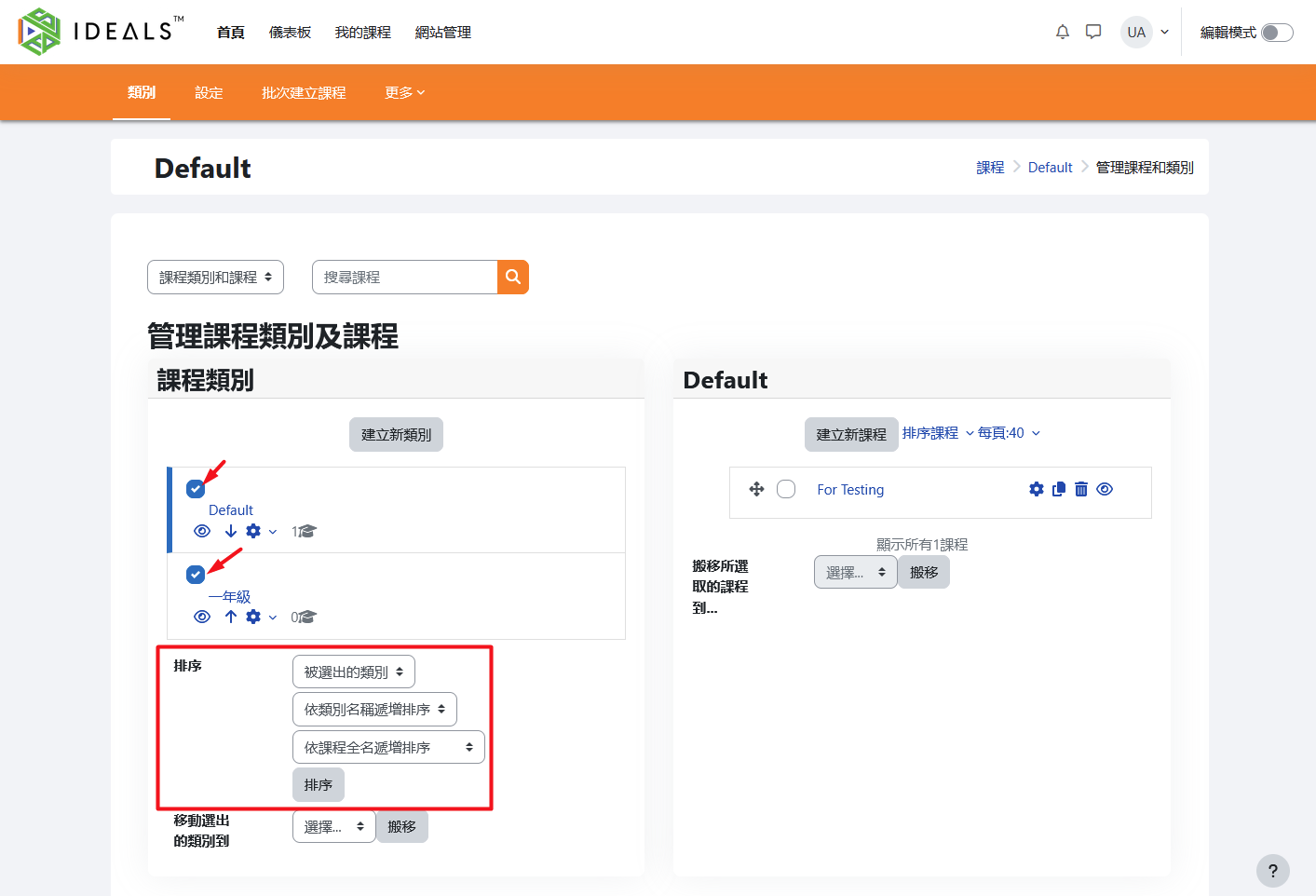
On the "Manage Course Categories and Courses" page (for instructions on how to access this page, please refer to 2.3.1), you can use the sorting function at the bottom of the "Course Categories" section on the left. Select the categories you want to sort and sort them by category name, course name, or other criteria.
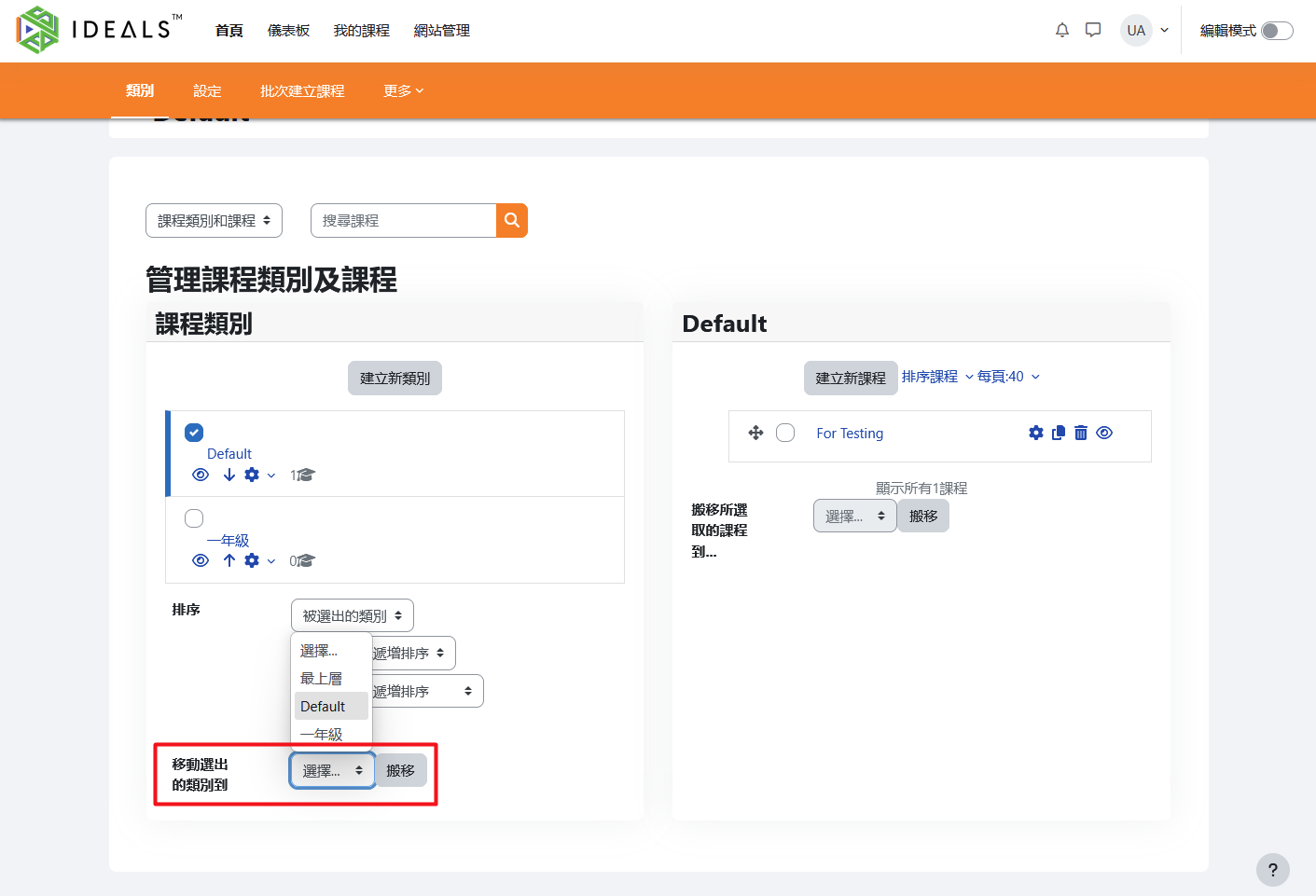
To move a category, select the category you want to move, choose a new parent category from the "Move selected categories to" dropdown menu, and then click "Move."
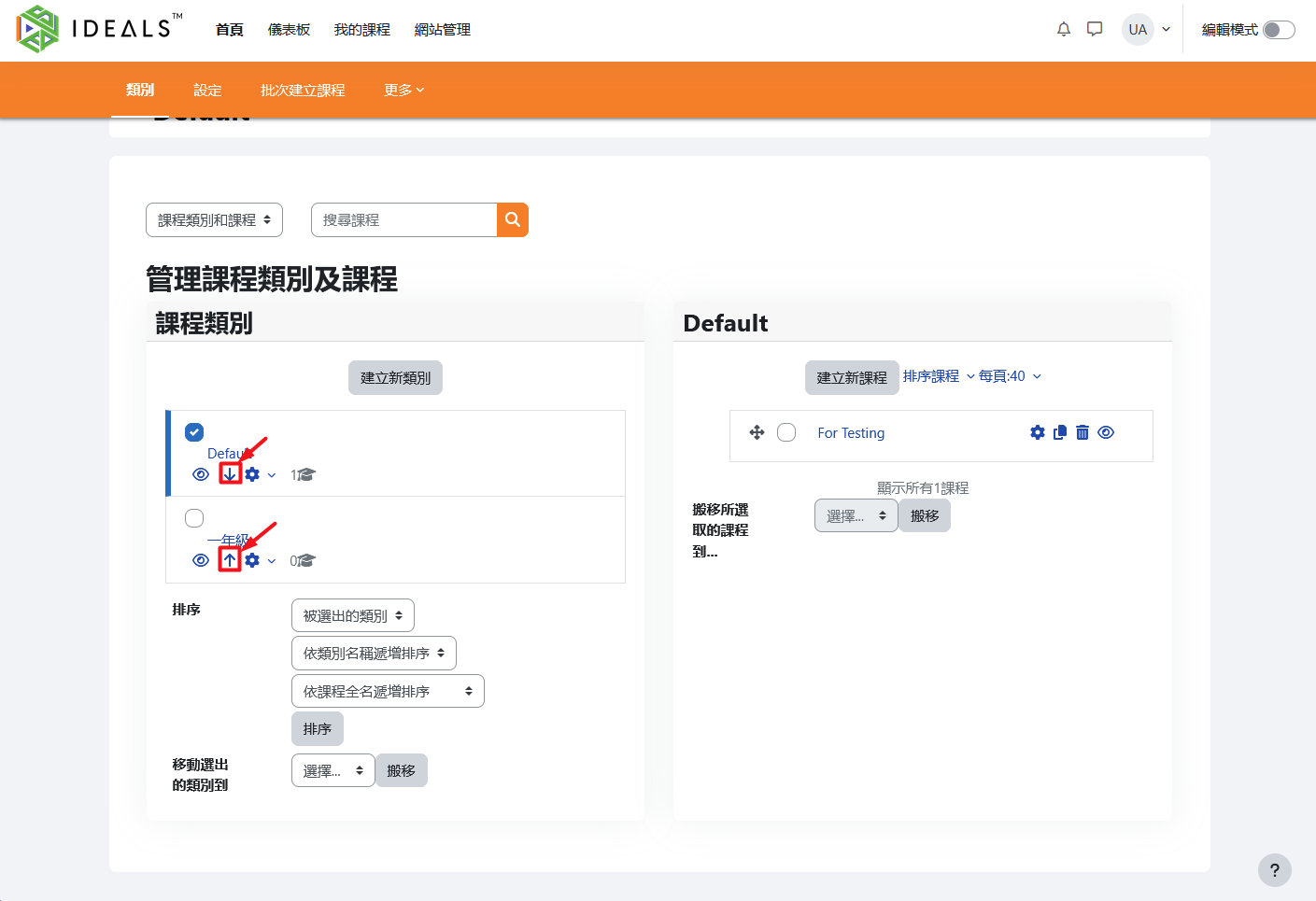
You can also adjust the order of categories at the same level by clicking the "arrow" icon under each course category.
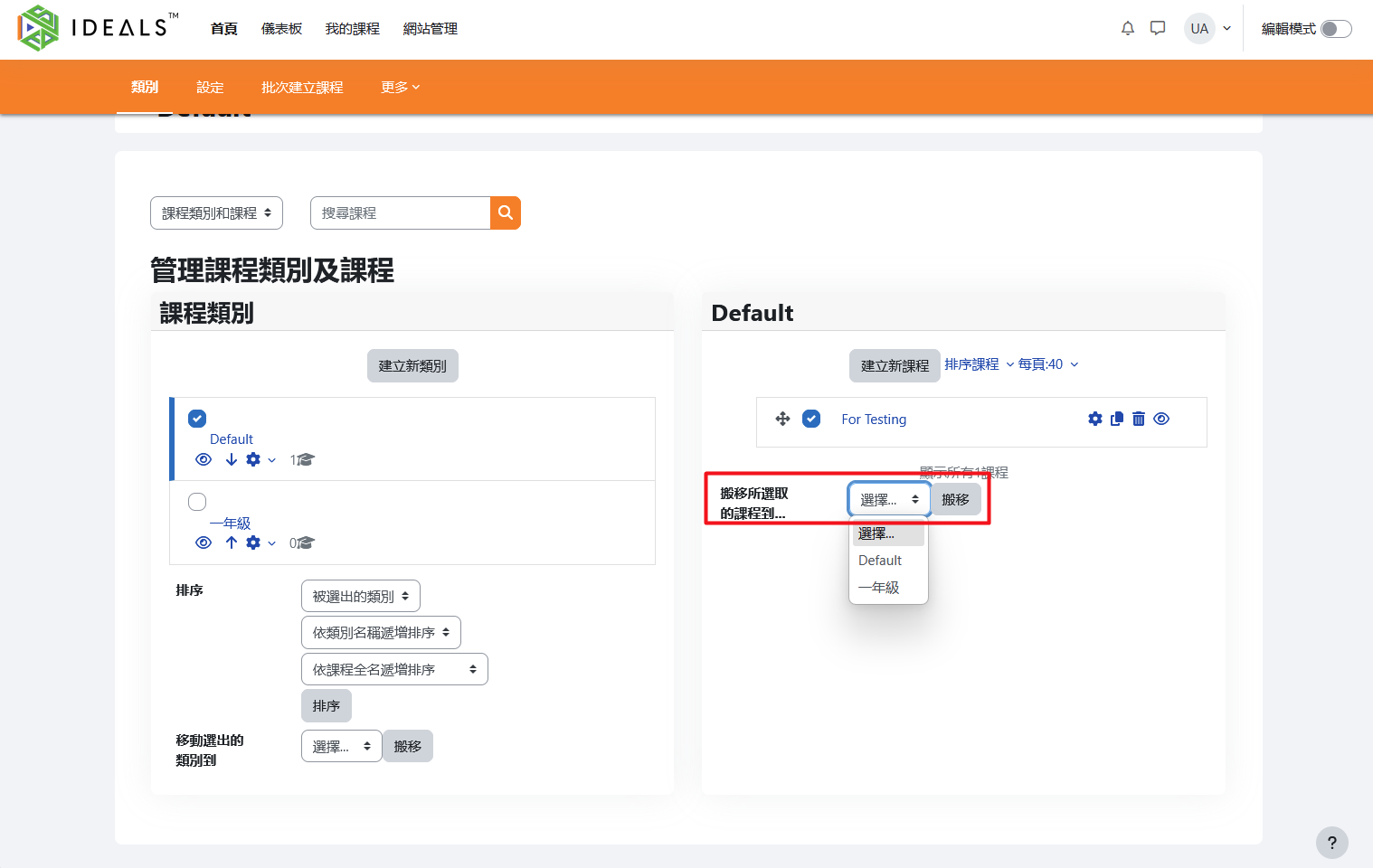
To move courses, select the courses you want to move in the course list area on the right, choose a category from the "Move selected courses to" dropdown menu, and then click "Move."