
2.4 Edit Course Category
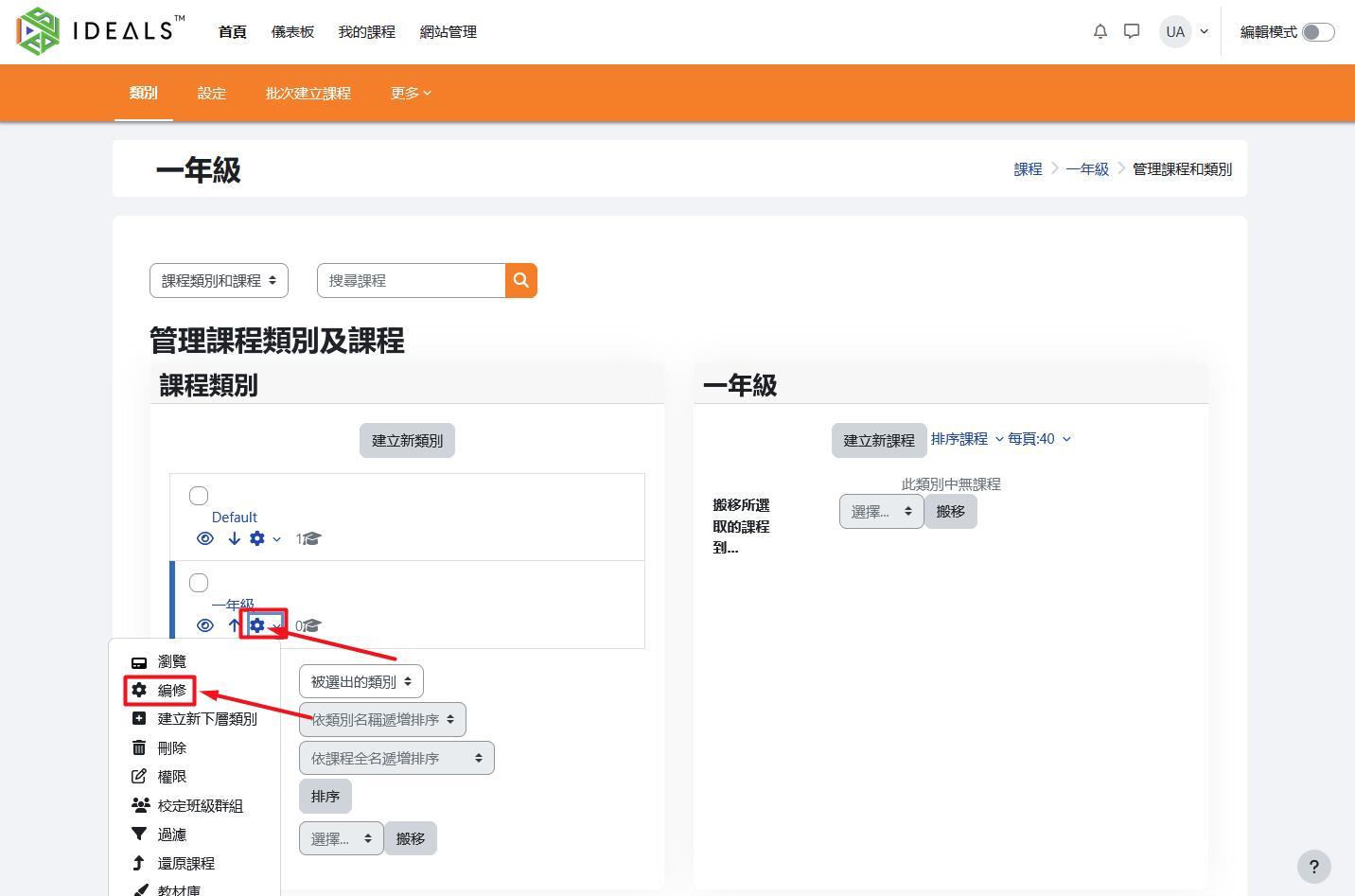
On the "Manage Course Categories and Courses" page (for instructions on how to access this page, please refer to 2.3.1), find the category you want to edit in the category list on the left. Click the "gear" icon (⚙️) next to it, then select "Edit" from the menu.
After entering the edit page, you can change information such as the parent category and category name.
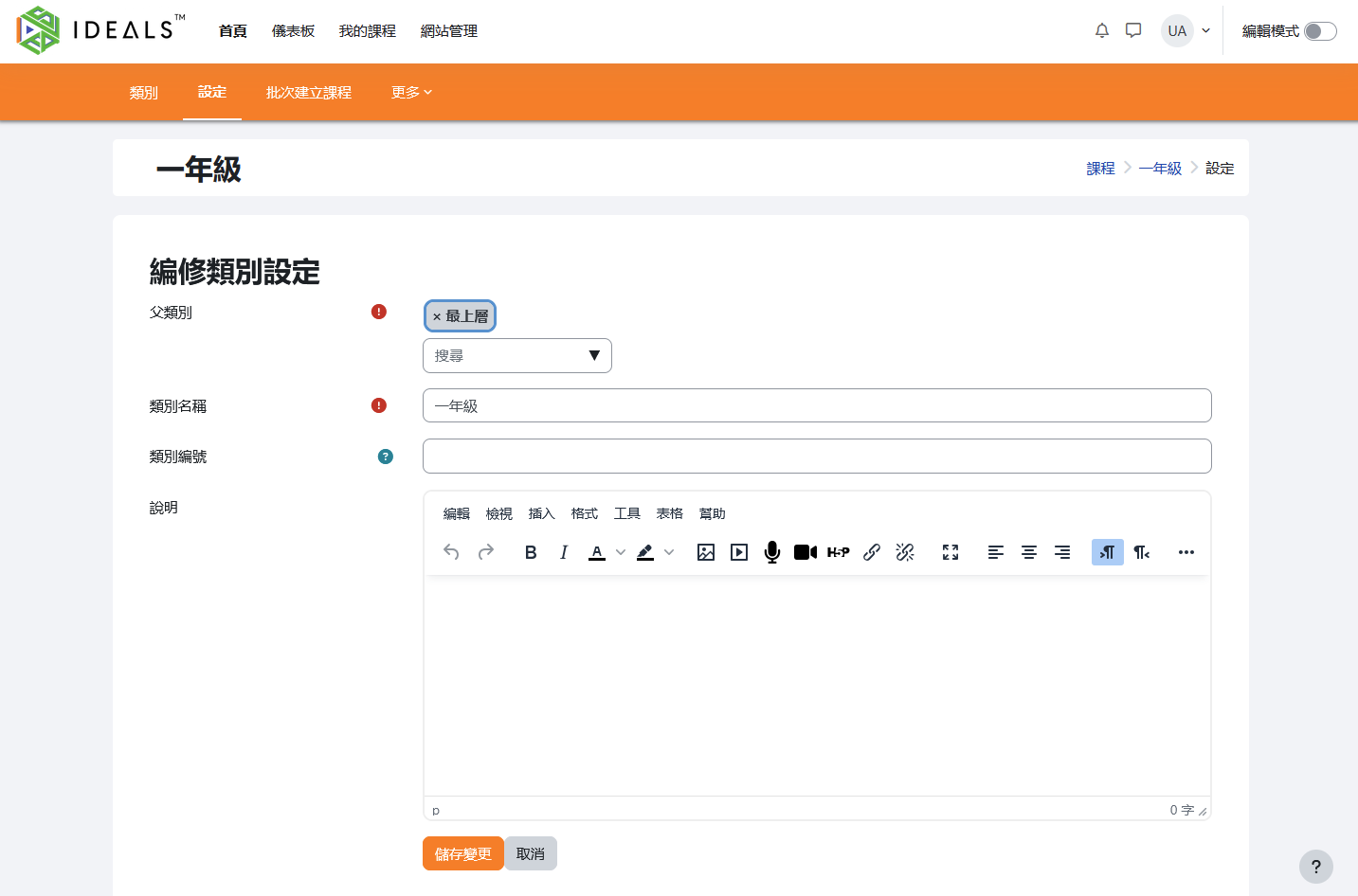
Once you have finished making changes, click "Save Changes" to update the information.