
5.3.1 Creating Curriculum Components (CCs) Part 1
After completing the course-level design by establishing the three core elements of the Learning Design Triangle (LDT), weto have definedestablish the intendedcontextual framework for the entire learning outcomes, disciplinary practice, and pedagogical approach. Next,design, we will explore how to develop Curriculum Components (CCs) and learning tasks that align with these elements, ensuringtransforming overarching design concepts into actionable teaching practices. For a cohesivedetailed coursetheoretical structure.explanation Forof moreCurriculum onComponents how(CC), asee CC relates to the LDT, see Chapter 2.5 -– Curriculum Component (CC)Sequence.
The following instructions will guide you in creating the first CC for your learning design.
Creating the First CC
At this stage, we are creating theThe first CC,Curriculum whichComponent (CC) marks the beginning of the STEMcourse, course, "Designing for the Wise"Wise.". As the starting point, this componentIt is importantdesigned becauseto ithelp helps studentslearners get started and build a strong foundation for theirsubsequent learning. TheCC1 CC 1 will prepareprepares students by developing their knowledgeskills in identifying the problemproblems and goal-setting for the goal for this project.inquiry.
Step 1: Adding a New CC
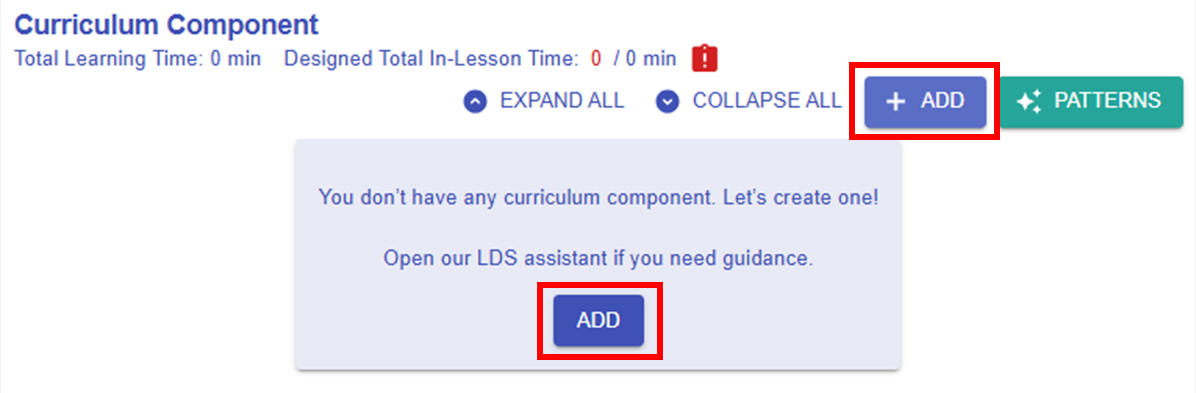
Figure 5.27: Adding a New CC
- By clicking
thethe button , you can
 call outopen the CC builder.
Step 2: Mapping the LDT Elements to the CC
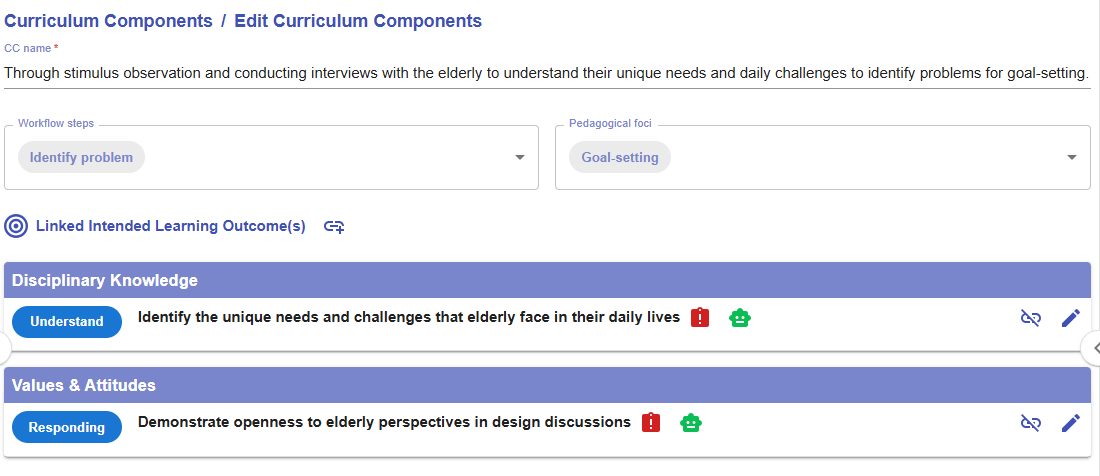
Figure 5.28: The Interface of the CC builder
- Please read the introduction below to guide you in creating a CC.
|
1. CC Name
💡Formula of naming a CC Through
|
|
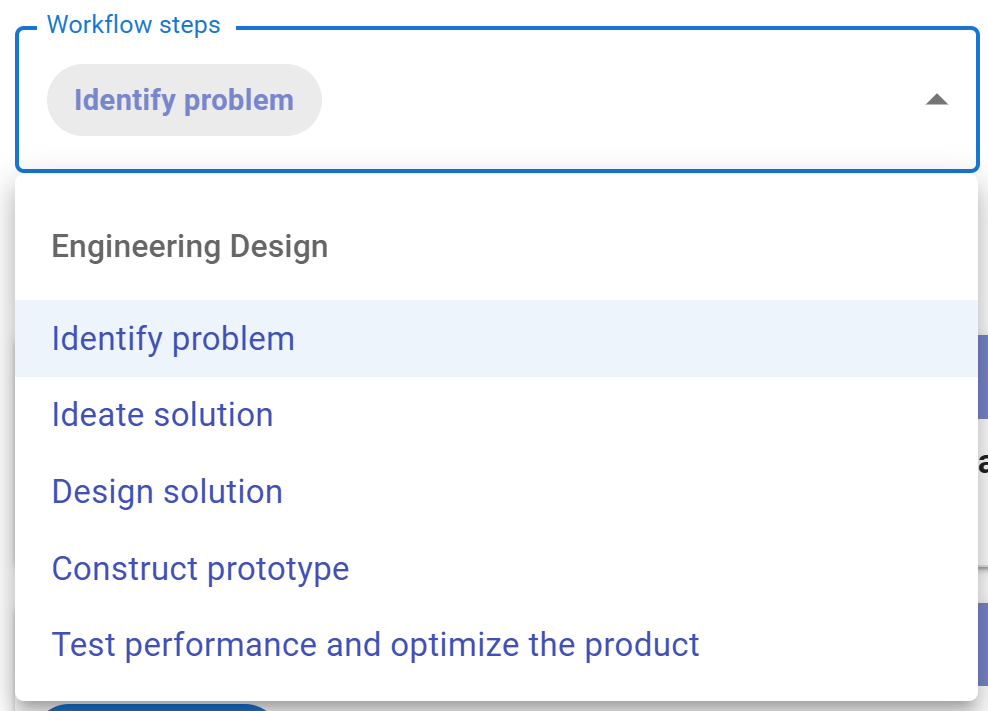
2. Workflow steps
Figure 5.29: The Workflow Steps of Engineering Design
|
|
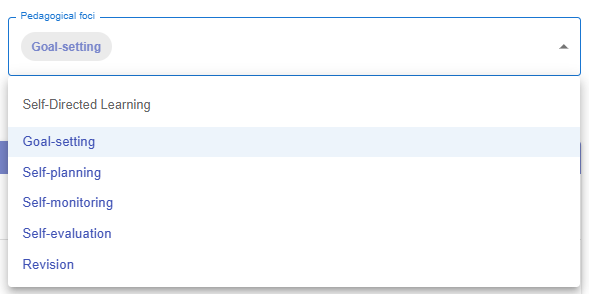
3. Pedagogical foci
Figure 5.30: The Pedagogical Foci of Self-directed Learning
|
|
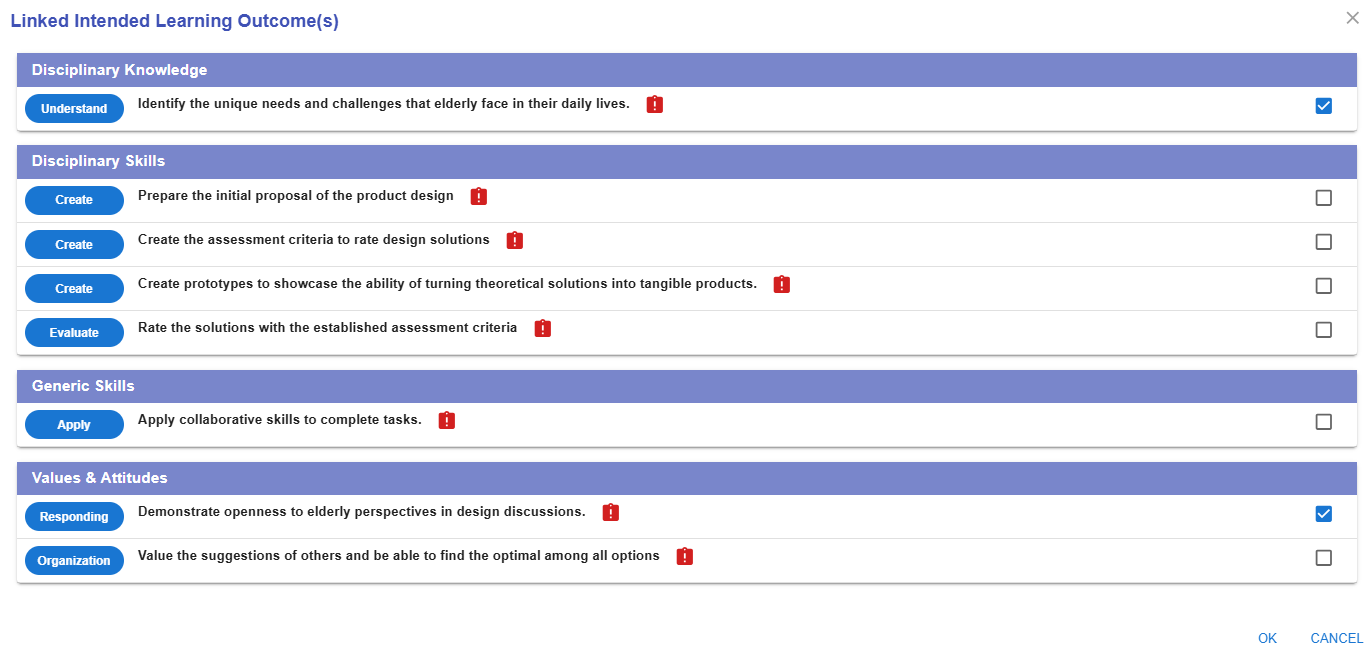
4. Linked Intended Learning Outcomes (ILOs)
4.1. The Link Button
4.2 Selecting the Appropriate ILOs
Figure 5.32: Linking the ILOs to a CC (2)
E.g.
4.3 The Alert Icon and Complete Icon
Figure 5.33: Unassessed ILOs in a CC
4.4 The Unlink Button
Figure 5.34: Dissociating the ILOs from the CC
|



 will appear as a reminder. Once an assessment is assigned, this will be replaced with a complete
  . We will discuss how to assign
