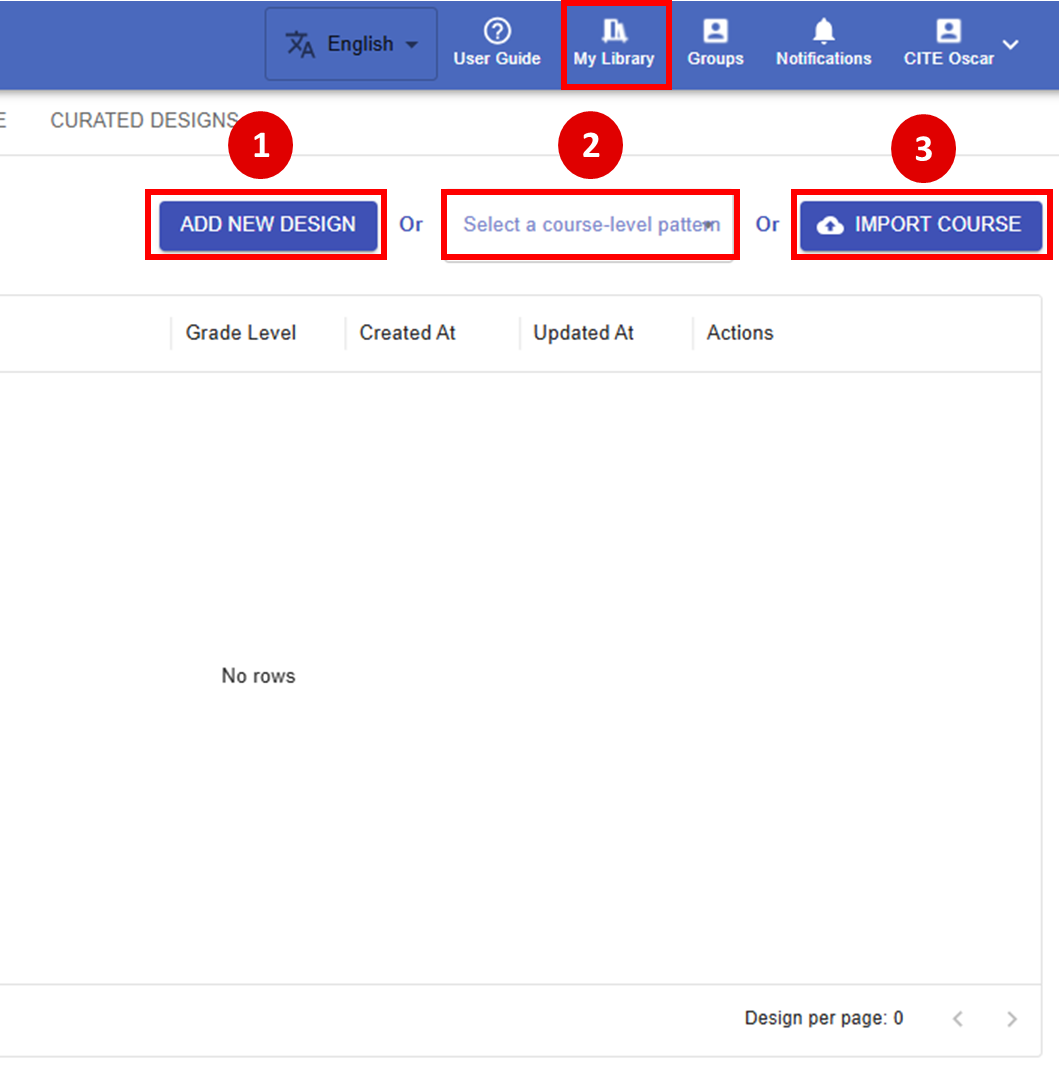
In the LDS, there are three ways to create a learning design:
Figure 4.1: My Library
Starting from Scratch (Tutorial) This approach is ideal for users who want full control and a deeper understanding of every aspect of creating a a learning design. By building each element yourself, you’ll become familiar with all the options and features the LDS offers. Even when you choose to start from scratch, the LDS remains flexible by providing many suggested patterns at different levels and aspects to guide your learning design process.
Starting from Patterns (Tutorial) This approach is recommended for beginners or anyone seeking a quicker setup. As mentioned in Ch3.4 Pattern Library, course-level patterns provide ready-made structures of learning designs, making the process easier and more efficient.
Currently, the LDS provides five course-level patterns:
If you have a learning design that was previously created in the LDS, or if someone has shared a design with you, you can import it directly. This is useful for reusing and revising existing content.