
3.2. Single-Sign-On to iLAP-IDEALS
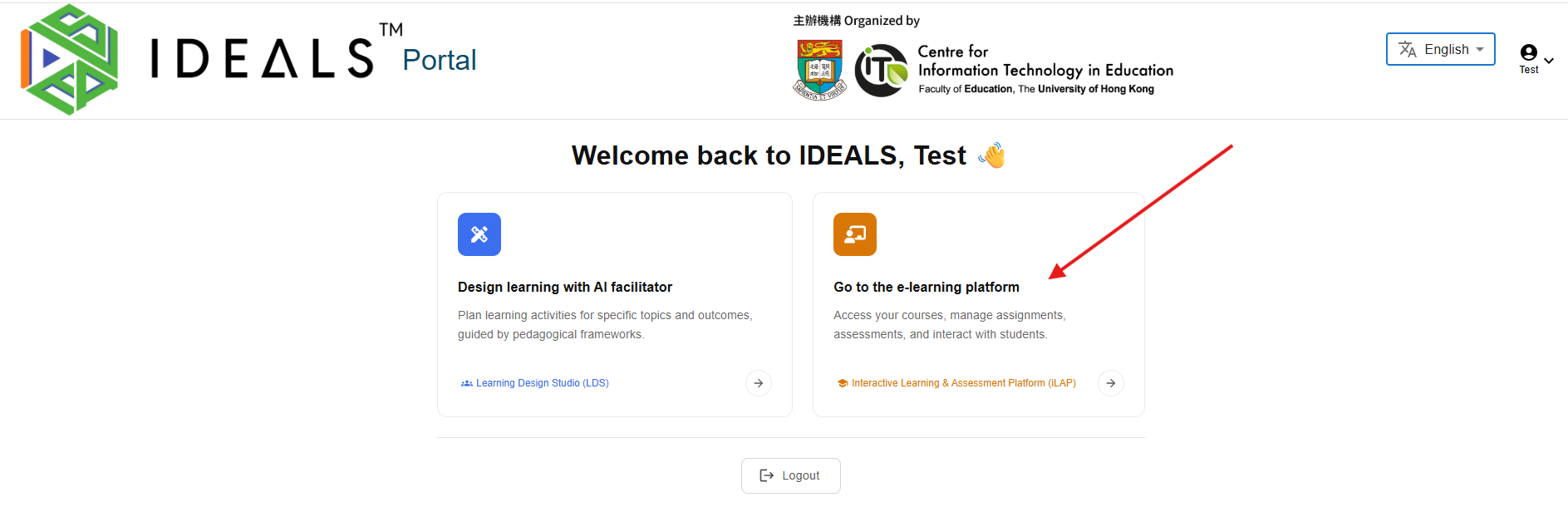
From the Gateway Page (https://ideals-portal.cite.hku.hk/gateway), click the card "Go to the e-learning platform".
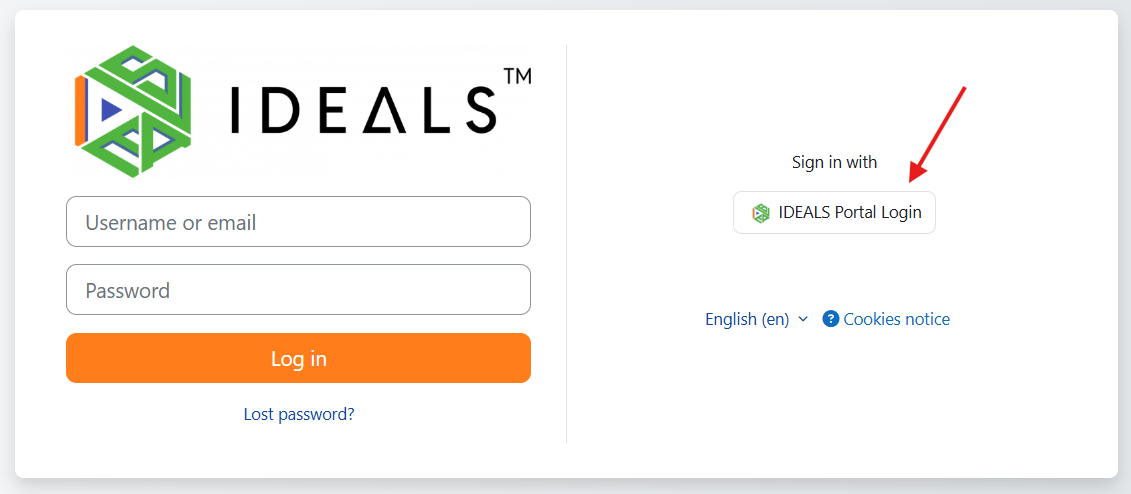
Due to Moodle's security requirements, you must explicitly click the "IDEALS Portal Login" button when prompted.
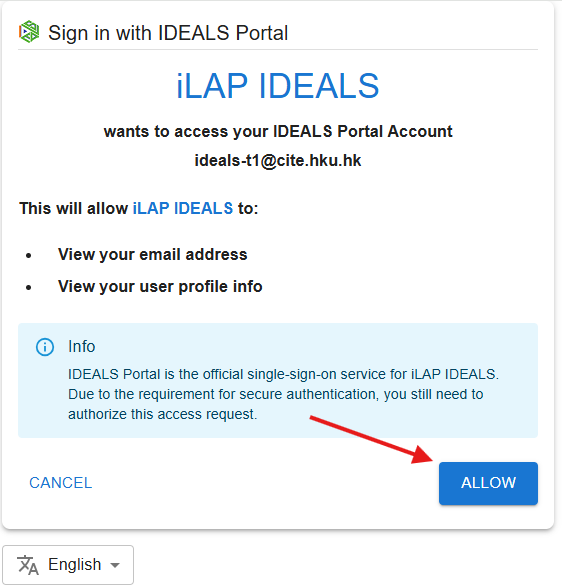
The portal will ask for authorization to allow iLAP-IDEALS to access your account. Click "ALLOW".
Once authorized, you will be logged into iLAP-IDEALS.

Your next step may be to read the iLAP School Administration Guide to learn more about the iLAP platform. (An English version will be coming soon.)