
6.2.3 Pedagogical Approach
🌟 For guidance on choosing pedagogical approach, refer to Chapter 2.4 - Pedagogical Approach
As we have chosen theThe course-level pattern "Engineer/Inventor (Engineering Design + Self-directed Learning)", has provided the Learning Design Studio (LDS) will suggest and assign self-directed learning as the pedagogical approach. Theapproach details of this approach are automatically provided for you,you. as shown below:
Name: Self-Directed Learning
Description:
Self-Directed Learning (SDL) is a popular educational method that encourages learning around real-world problems and empowers students. It uses a five-step structure, akin to problem-solving, comprising goal setting, self planning, self-monitoring, self-evaluation, and revision.
Pedagogical Foci:
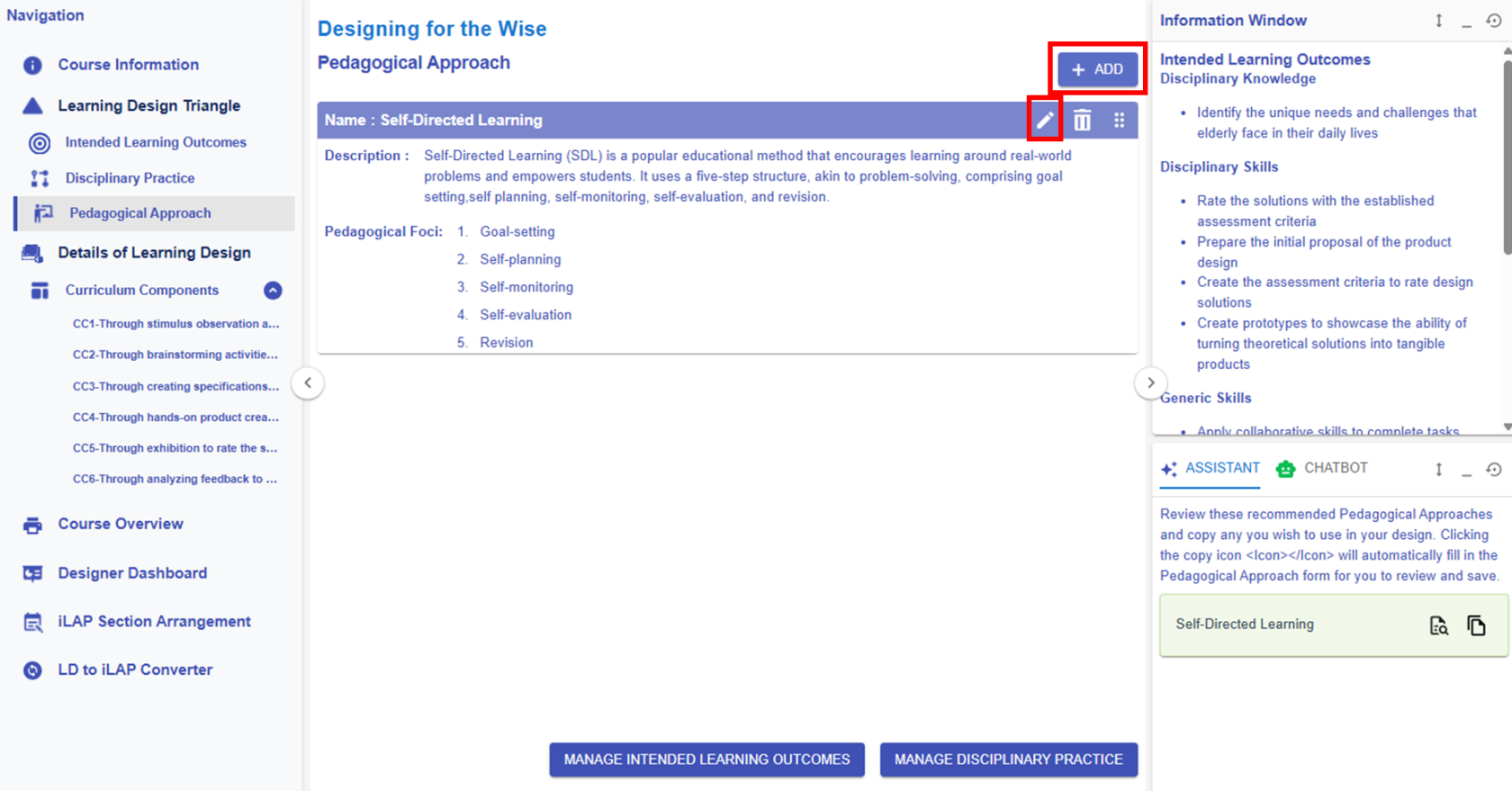
Figure 6.24 Learning Design Triangle Section - Pedagogical Approach
Please see the introduction below on how to interact with the LDS to edit/create the pedagogical approach.
|
1. Editing or Creating a pedagogical approach
Figure 6.25: Editing/Creating the Pedagogical Approach
|
||||
|
2. Learning Design Facilitator
|
 or
or  button, you can access the area to modify the pedagogical approach information.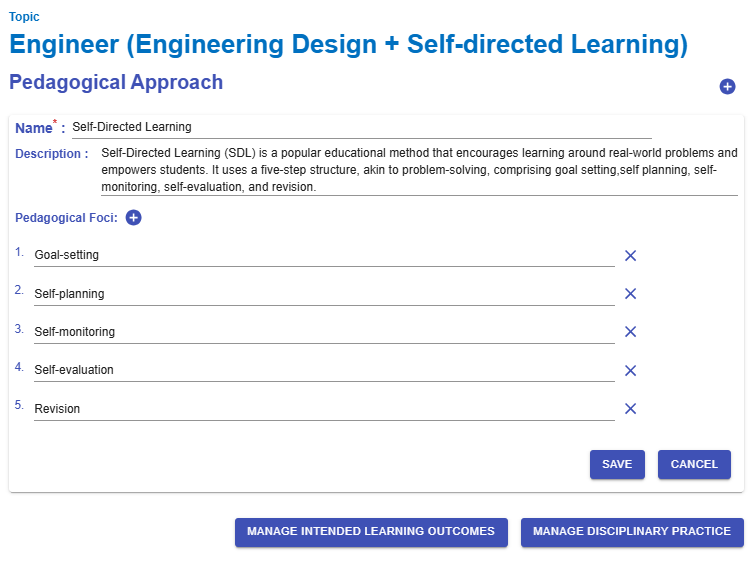
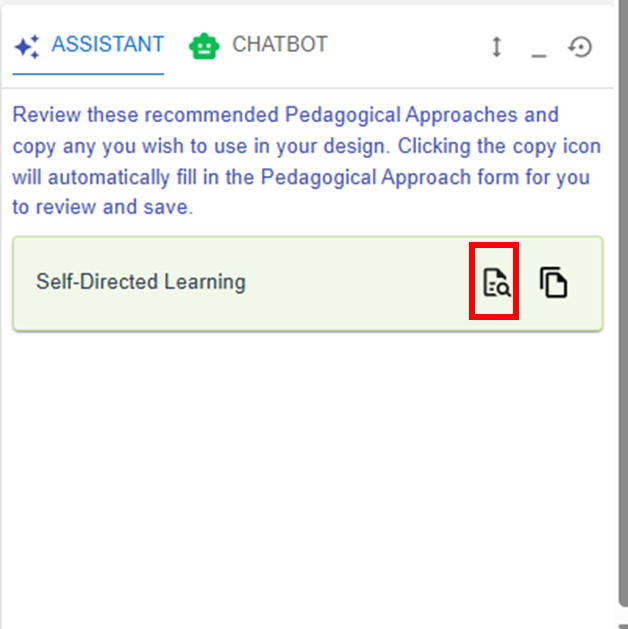
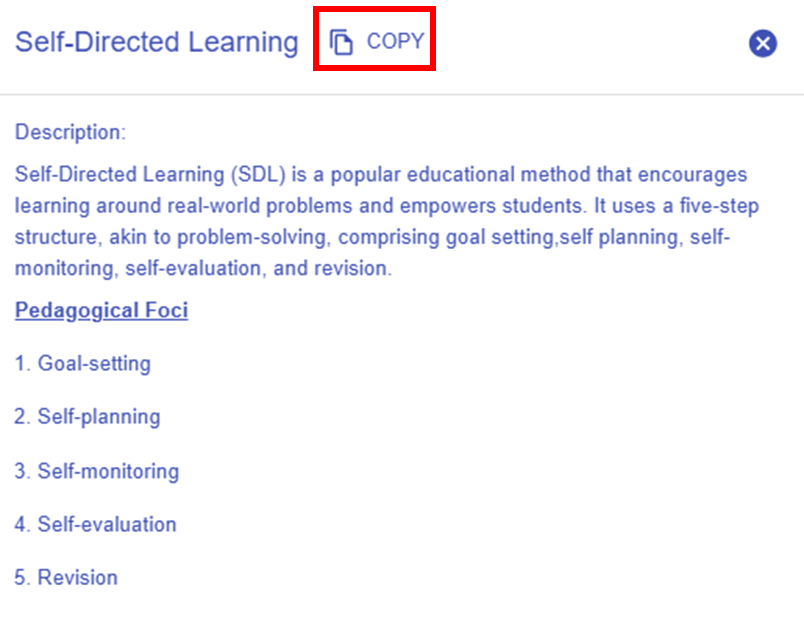
 button, you can explore the details of the targeted pedagogical approach pattern.
  button in the