6.2.2 Disciplinary Practice (DP)
🌟 For guidance on choosing disciplinary practice, refer to Chapter 2.3 - Disciplinary Practice (DP)
The course-level pattern Engineer/Inventor (Engineering Design + Self-directed Learning) provideshas provided the some intended learning outcome patterns for you.
As we have chosen the course-level pattern "Engineer/Inventor (Engineering Design + Self-directed Learning)", the Learning Design Studio (LDS) will suggest and assign the Engineering Design as the DP. The details of this DP are automatically provided for you, as shown below:
Name: Engineering Design
Description:
The disciplinary practice of 'Engineering Design' supports our young learners to apply their knowledge and skills in developing effective solutions to real-world problems. Like engineers and inventors, learners will engage in identifying problems, then ideate, design, create, and optimize solutions to address those challenges.
Role of Learner: Engineer, Inventor
Workflow Steps:
Identify the problem
Generate ideasdetails for
solutionsyou. Design the solution
Construct a prototype
Test the prototype's performance and optimize the product
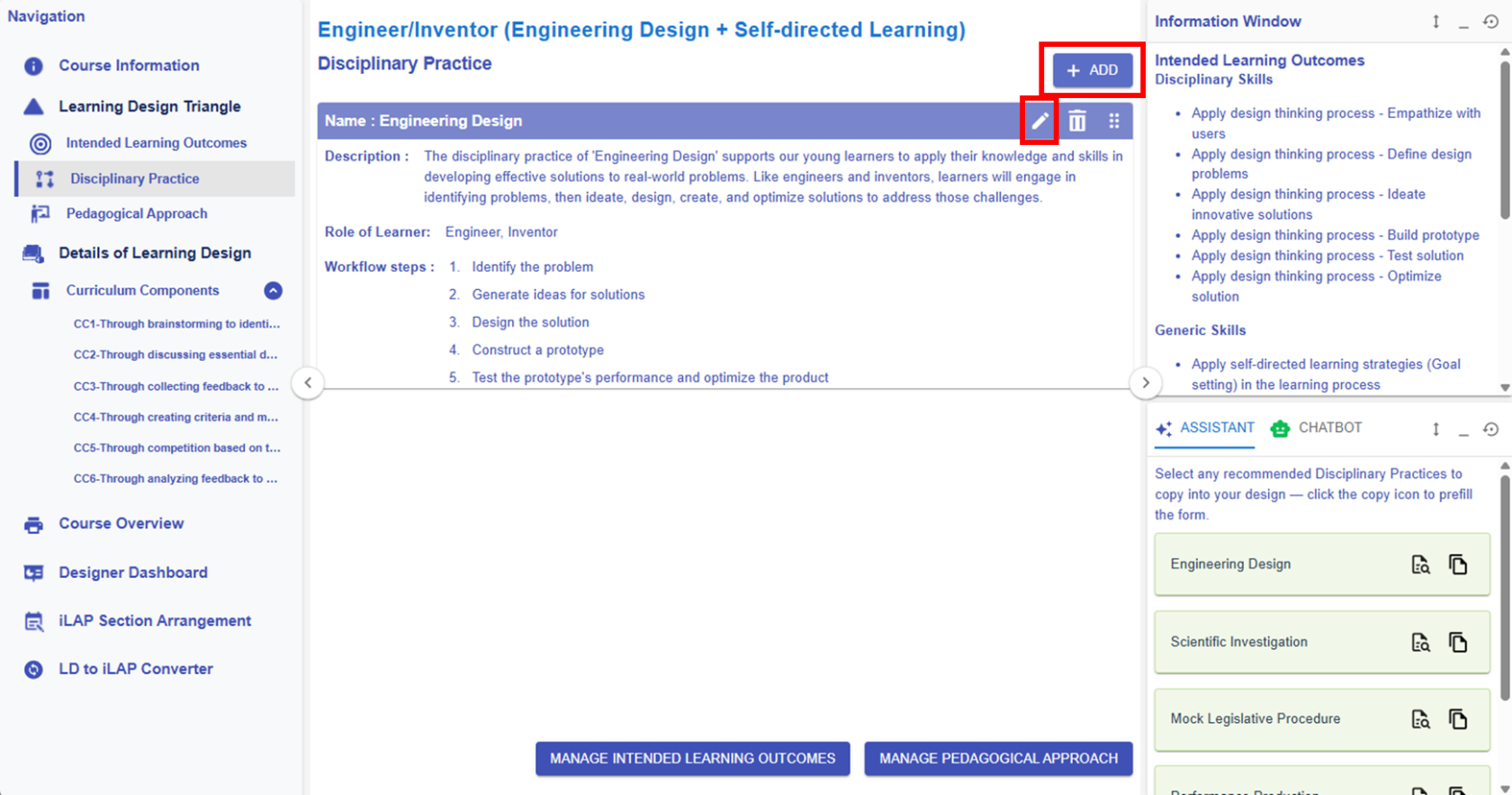
Figure 6.19 Learning Design Triangle Section - Disciplinary Practice
|
1. Editing or Creating a DP
- By clicking the
 or or  button, you can access the DP builder to modify the DP information. button, you can access the DP builder to modify the DP information.
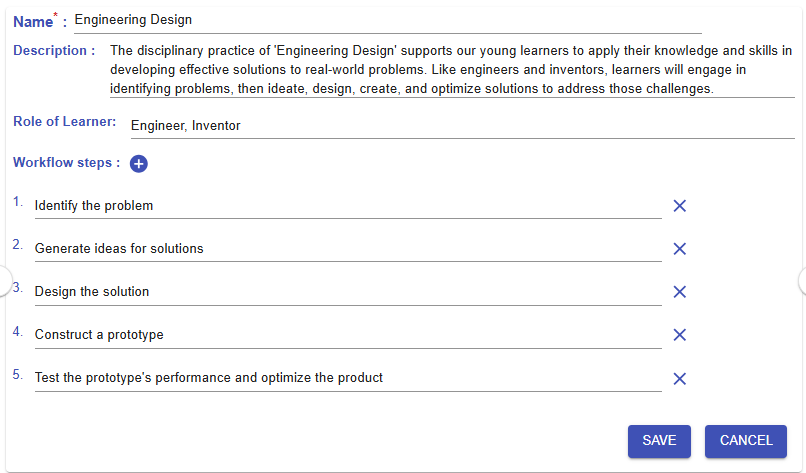
Figure 6.20: Editing/Creating a DP
|
|
2. Learning Design Facilitator
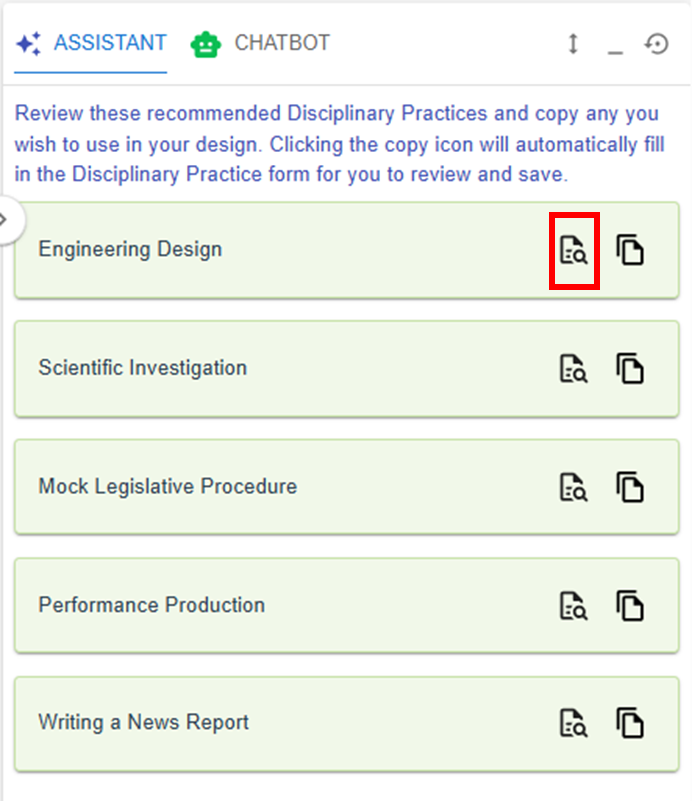
- In the Learning Design Facilitator, there are DP Patterns that we have designed for you to copy and use in your own design.
If you accidentally make changes to or remove the DP Pattern, you can easily add it back using the Learning Design Facilitator.
|
|
|
Figure 6.21: The DP Patterns in the LDSLearning Design Facilitator |
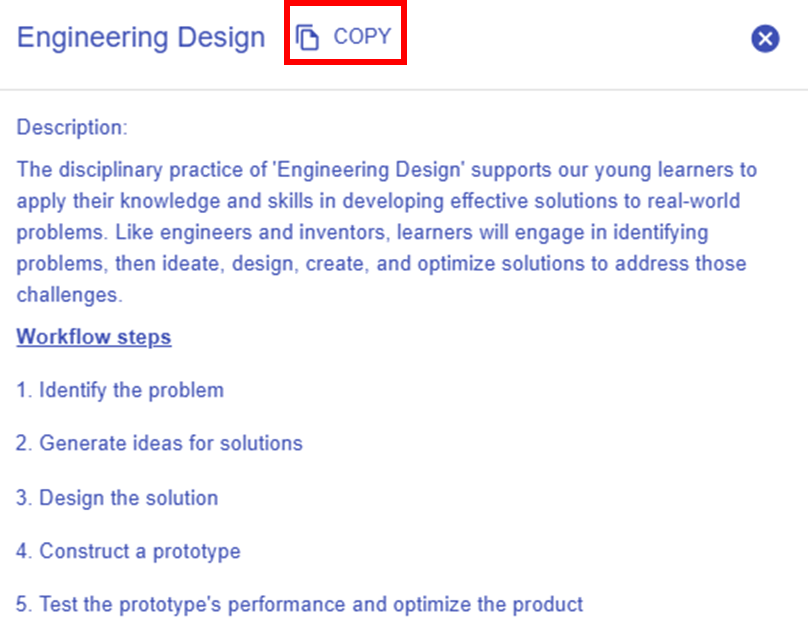
Figure 6.22: Details of the Targeted DP Pattern |
- By clicking the
 button, you can explore the details of the targeted DP pattern. button, you can explore the details of the targeted DP pattern.
- You can use the targeted DP pattern directly by clicking "COPY" button in the
new pop-up window, or by clicking the  button in the Learning Design Facilitator. The DP pattern details will be automatically appear in the LDS. button in the Learning Design Facilitator. The DP pattern details will be automatically appear in the LDS.
|
| |
