6.2.2 Disciplinary Practice (DP)
🌟 For guidance on choosing disciplinary practice, refer to Chapter 2.3 - Disciplinary Practice (DP)
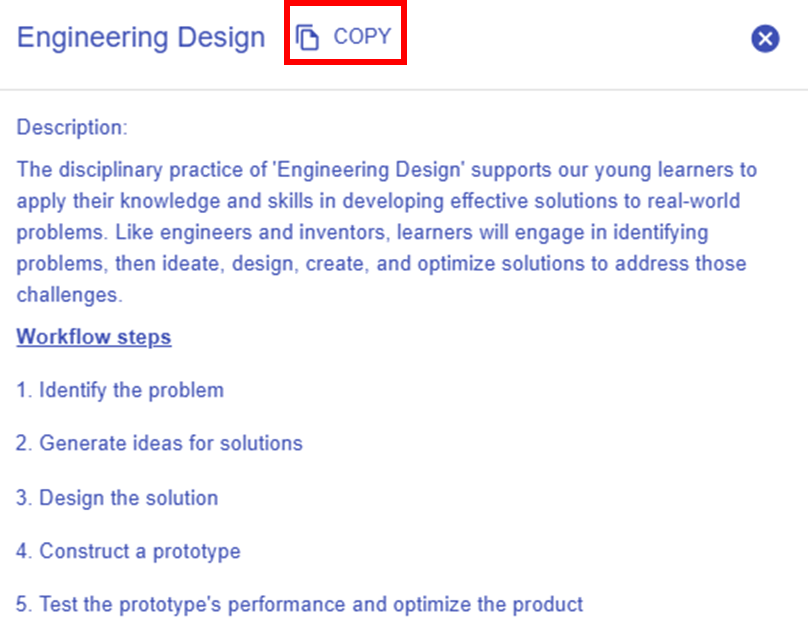
As we have chosen the course-level pattern "Engineer/Inventor (Engineering Design + Self-directed Learning)", the Learning Design Studio (LDS) will suggest and assign the Engineering Design as the DP. The details of this DP are automatically provided for you, as shown below:
Name: Engineering Design
Description:
The disciplinary practice of 'Engineering Design' supports our young learners to apply their knowledge and skills in developing effective solutions to real-world problems. Like engineers and inventors, learners will engage in identifying problems, then ideate, design, create, and optimize solutions to address those challenges.
Role of Learner: Engineer, Inventor
Workflow Steps:
- Identify the problem
- Generate ideas for solutions
- Design the solution
- Construct a prototype
- Test the prototype's performance and optimize the product
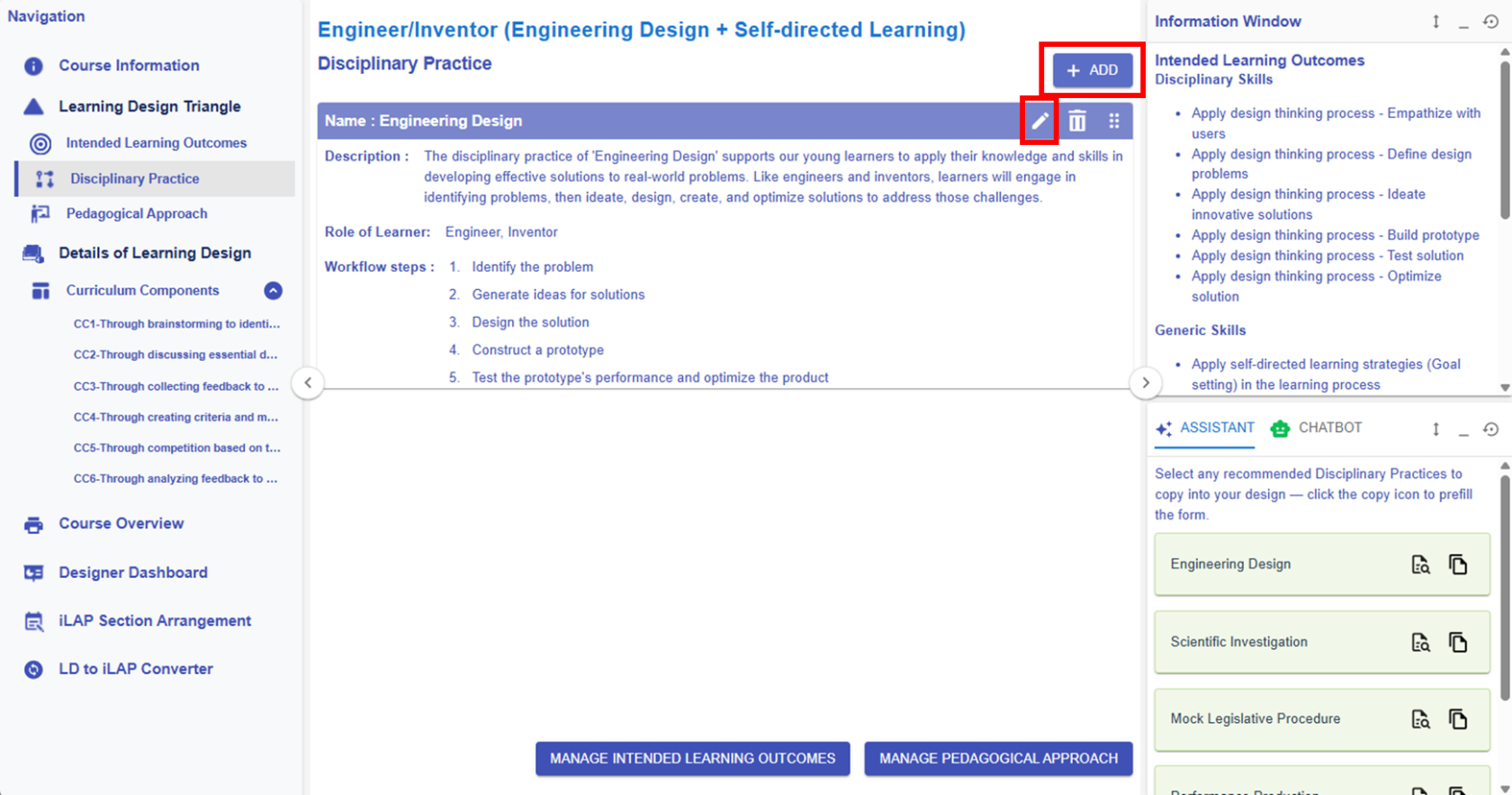
Figure 6.19 Learning Design Triangle Section - Disciplinary Practice
|
1. Editing or Creating a DP
Figure 6.20: Editing/Creating a DP
|
||||
|
2. Learning Design Facilitator
|
||||
|
|
 or
or  button, you can access the DP builder to modify the DP information.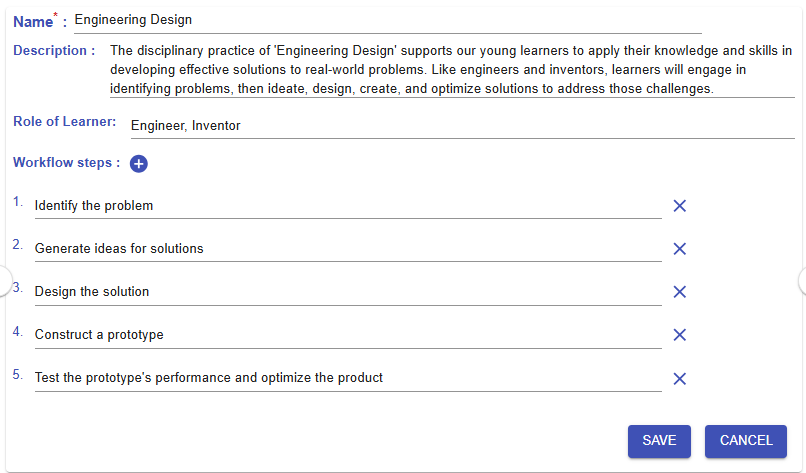
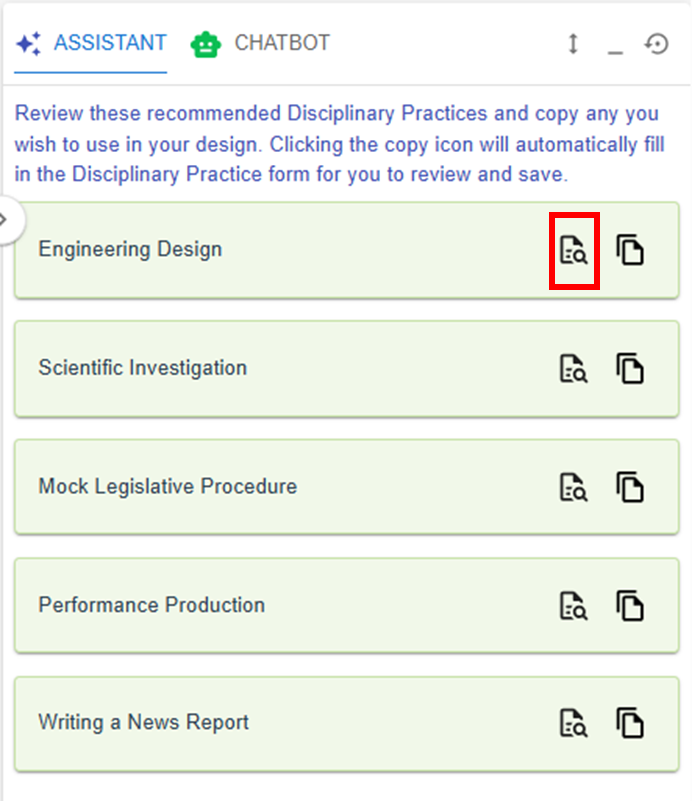
 button, you can explore the details of the targeted DP pattern.
  button in the