
6.1 Entering the Course Information
In this chapter, we will explore how to create a new learning design about developing a product for the elderly, similar to what we demonstrated in Chapter 5. However, this time we will use the Pattern Library, beginning with the course-level pattern.
Choosing a Course-level Pattern
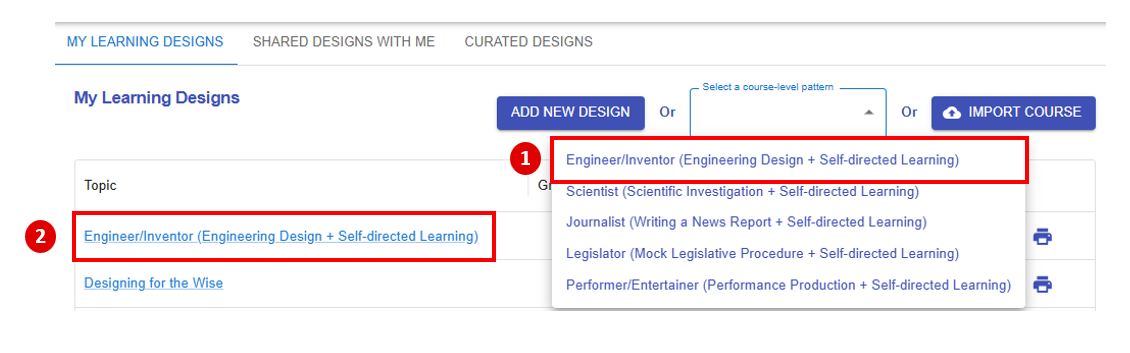
Figure 6.1: The Course-level Pattern Library
After selecting the pattern 1) "Engineer/Inventor (Engineering Design + Self-directed Learning)" , a new learning design will 2) appear in "My Library".
Entering the Course Information
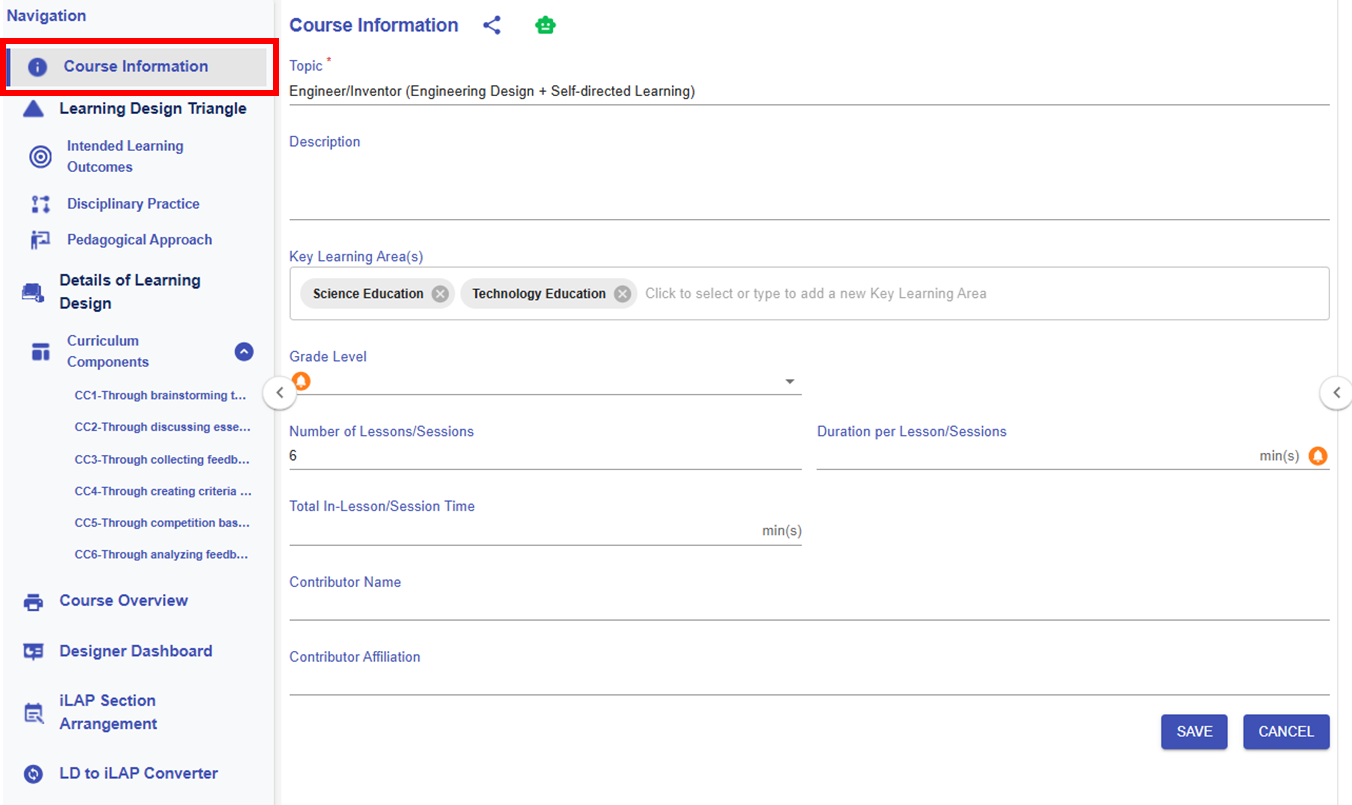
Figure 6.2: The Course Information Section of the Engineering Designer Pattern
After choosing "Engineer/Inventor (Engineering Design + Self-directed Learning)", the pattern have already provided some course information. You can adapt or modify the provided information and fill in the remaining details as needed.
* The customised item will be highlighted in red.
|
Item |
Content |
|---|---|
| Title |
Designing for the Wise
|
| Description |
Designing for the Wise is an interactive course where you’ll discover how to create innovative, user-centered solutions for the elderly. Learn to empathize with the unique challenges the elderly face, apply design thinking processes, and develop practical prototypes that make a real difference. Join us to blend creativity and care as you design a better world for the wise! |
| Key Learning Area(s) |
Science Education, Technology Education |
| Grade Level |
P6 |
| No. of Lesson |
6 |
| Duration per Lesson |
35 |
| Total In-Lesson Time |
210 |
| Contributor Name |
- |
| Contributor Affiliation |
- |