
6.1 Entering the Course Information
In this chapter, we will explore how to create a new learning design about developing a product for the elderly, similar to what we demonstrated in Chapter 5. However, this time we will use the Pattern Library, beginning with the course-level pattern.
Choosing a Course-level Pattern
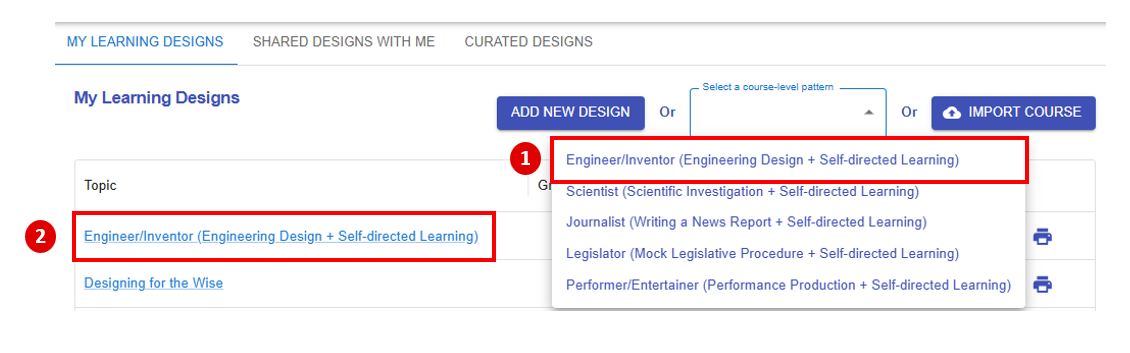
Figure 6.1: The Course-level Pattern Library
After selecting a pattern 1) "Engineer/Inventor (Engineering Design + Self-directed Learning)" in the menu, a new learning design will 2) appear in "My Library".
Entering the Course Information
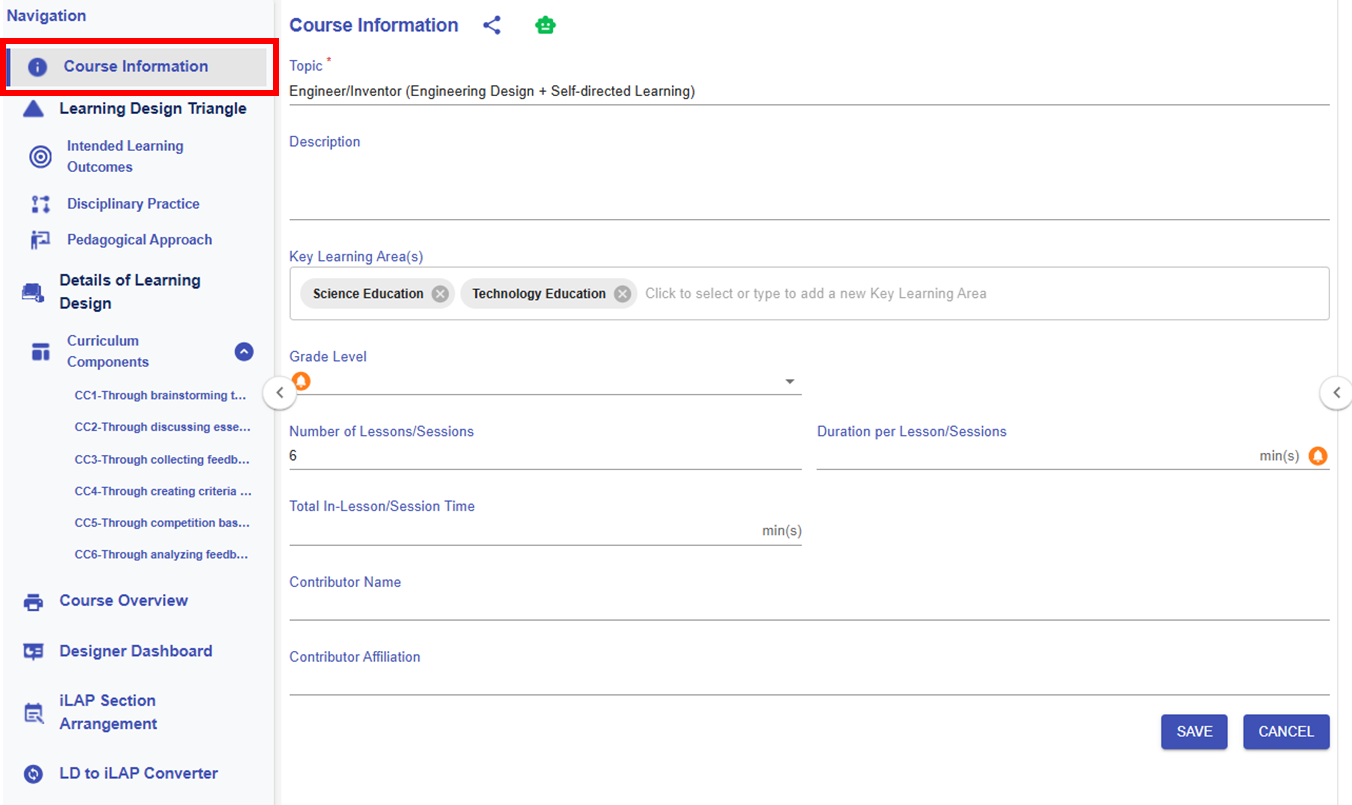
Figure 6.2: The Course Information Section of the Engineering Designer Pattern
After choosing "Engineer/Inventor (Engineering Design + Self-directed Learning)", the pattern will already provide some of the course information for this generic course. Of course, you can adapt or modify this information as needed, or keep it as is. However, please remember to fill in any missing required details, such as the grade level and duration per lesson.
* The customised item will be highlighted in red.
|
Item |
Content |
|---|---|
| Title |
Designing for the Wise
|
| Description |
Designing for the Wise is an interactive course where you’ll discover how to create innovative, user-centered solutions for the elderly. Learn to empathize with the unique challenges the elderly face, apply design thinking processes, and develop practical prototypes that make a real difference. Join us to blend creativity and care as you design a better world for the wise! |
| Key Learning Area(s) |
Science Education, Technology Education |
| Grade Level |
P6 |
| No. of Lesson |
6 |
| Duration per Lesson |
35 |
| Total In-Lesson Time |
210 |
| Contributor Name |
- |
| Contributor Affiliation |
- |