
5.2.1 Intended Learning Outcomes (ILOs)
🌟 For guidance on developing strong ILOs, refer to Chapter 2.2 - Intended Learning Outcomes (ILOs)
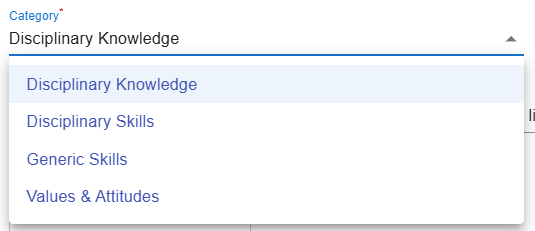
In the Learning Design Studio (LDS), there are four categories of Intended Learning Outcomes (ILOs):
Disciplinary Skills: The specific techniques, methods, and competencies associated with a particular field or area of study.
Generic Skills: The broad abilities that help people succeed in education, work, and daily life, regardless of a particular field or area of study.
Values & Attitudes: The beliefs, principles, and dispositions that guide a person's behavior, decision-making, and interactions with others.
Adding a New ILO
There are two ways to add a new ILO: (1) writing it yourself, or (2) using the ILO patterns.
1. Adding a New ILO - Writing it Yourself
- You will write the full ILO to indicate what students is expected to achieve as a result of the learning process.

Figure 5.3: Adding a New ILO
- If you have not added any ILOs before, you can click the
 or
or  button to add a new ILO.
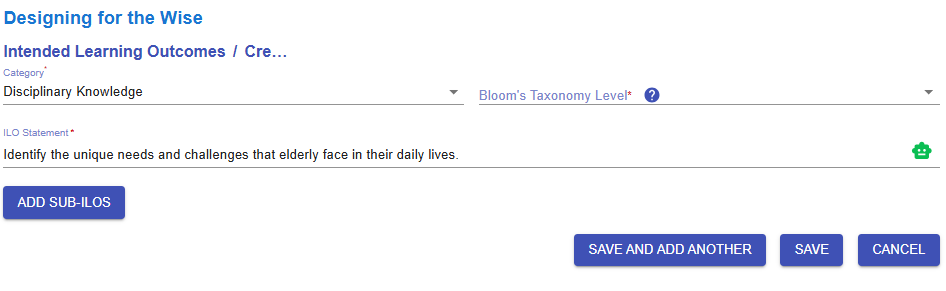
Figure 5.4: Interface of the ILO Builder (1)
- We will go through each option in the ILO Builder one by one.
|
1. Subject/Discipline(s)
Figure 5.5: Interface of the ILO Builder (2)
|
|
2. Category
Figure 5.6: Interface of the ILO Builder (3)
|
|
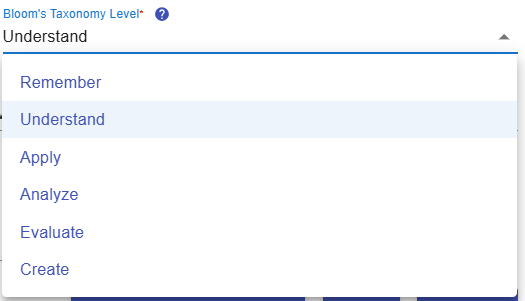
3. Bloom's Taxonomy Level
Figure 5.7: Interface of the ILO Builder (4)
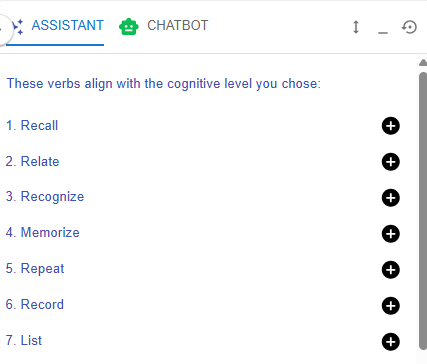
Figure 5.8: Writing a ILO with the Learning Design Facilitator
|
|
4. ILO and Learning Design Facilitator
Figure 5.9: Interface of the ILO Builder (5)
Figure 5.10: Evaluating a ILO with the Chatbot
|
|
5. Sub-ILO(s)
Figure 5.11: Interface of the ILO Builder (6)
|


 to request feedback from the chatbot on your ILO.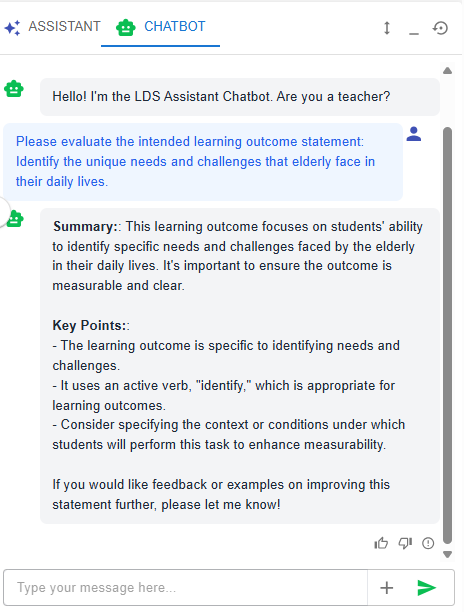

2. Adding a New ILO - Use the ILO Pattern
- In addition to writing your own ILO, you may use our pre-defined pattern to indicate what students is expected to achieve as a result of the learning process.

Figure 5.12: Intended Learning Outcomes - Values & Attitude
-
Currently, the learning design does not have any ILOs created for the Values & Attitude category. We can create one by using the ILO patterns.
|
|
|
|
Figure 5.13: The ILOs Patterns in the LDS Facilitator
Figure 5.14: Details of the Targeted ILO Pattern (1)
Figure 5.15: Details of the Targeted ILO Pattern (2)
|
|
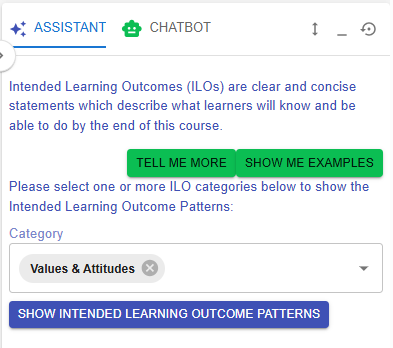
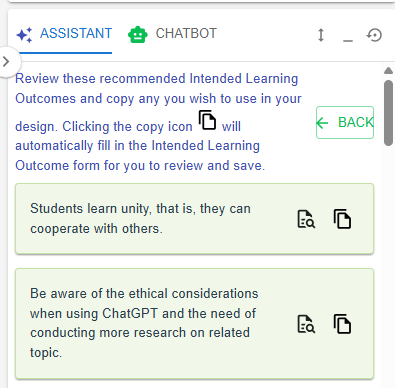

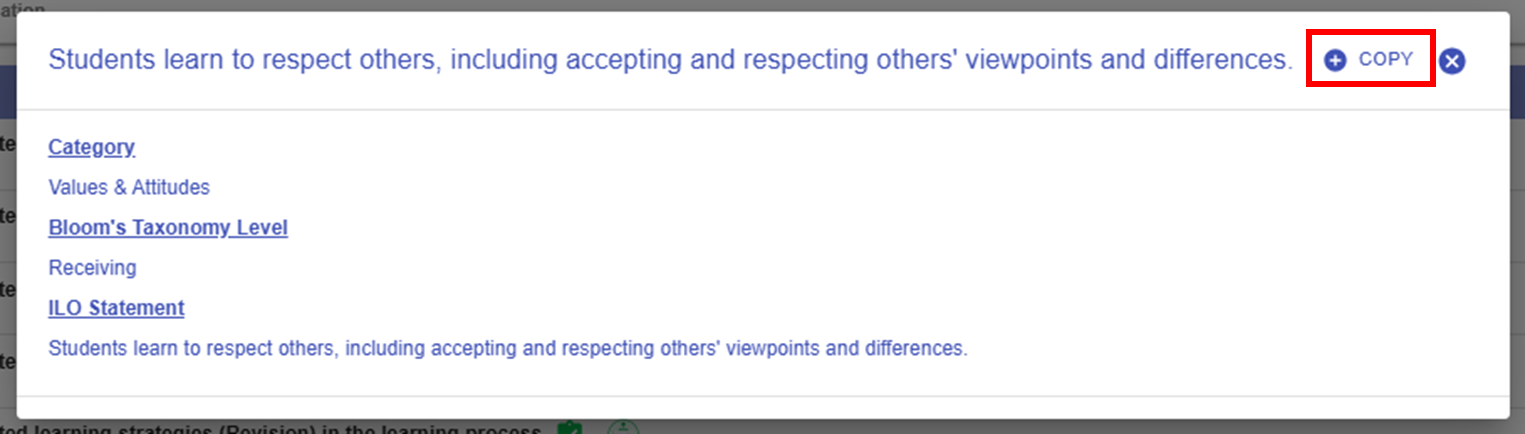
 button in the Learning Design Facilitator. The ILO pattern details will be auto-filled into the LDS.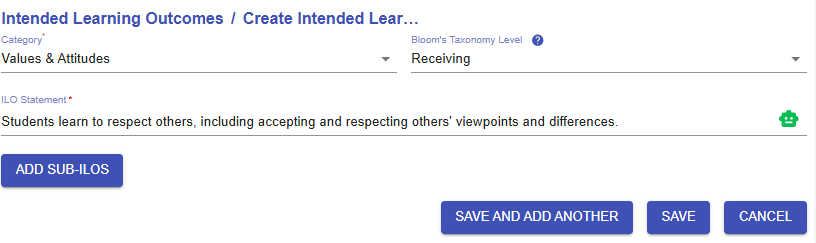
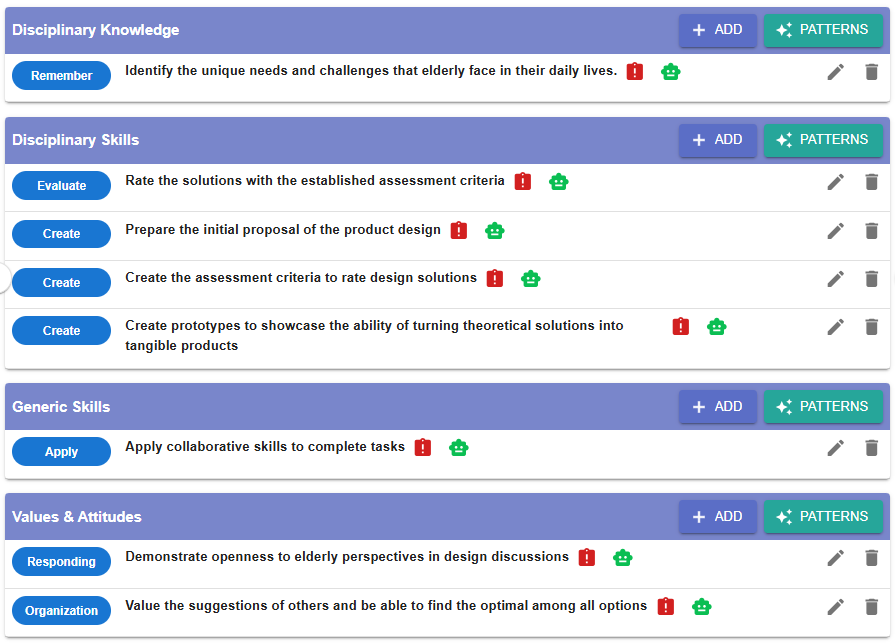
Figure 5.16: An example of a completed ILO section
After completing this section, it is clear that the ILOs are well defined across Disciplinary Knowledge, Disciplinary Skills, Generic Skills, and Values & Attitudes. The intended cognitive and affective knowledge and skills will guide you in designing appropriate learning experiences later on.