
3.2 Cohort Sync Enrolment
使用「校定班級群組」作為選課方法,老師可以將整個班級群組的學生自動加入課程。By using the "Cohort sync" enrolment method, teachers can automatically add all students from a school-defined cohort to a course.
其優點是未來只要校定班級群組內的學生名單有所增減,課程中的學生名單將自動同步更新,老師不需要再手動於每個課程內進行退選,節省大量管理時間與人力。The advantage is that whenever the membership of the cohort changes (students added or removed), the enrolment list in the course will be automatically updated. Teachers do not need to manually manage enrolments for each course, saving significant time and effort.
3.2.1 建立一個新的「校定班級群組」Creating a New Cohort
如果學校在開始使用iLAP前,經HKEdCity的EdData服務將學生名單交給IDEALS計劃小組,我們會在iLAP內上傳學生並將學生以班級預先建立「校定班級群組」,方便老師即時能夠替學生選課,你不一定要自行建立。If your school provided the student list to the IDEALS team via HKEdCity’s EdData service before starting to use iLAP, we will have already uploaded the students and created cohorts, by classes, in iLAP for you. This allows teachers to assign cohorts to courses immediately, without needing to create them manually.
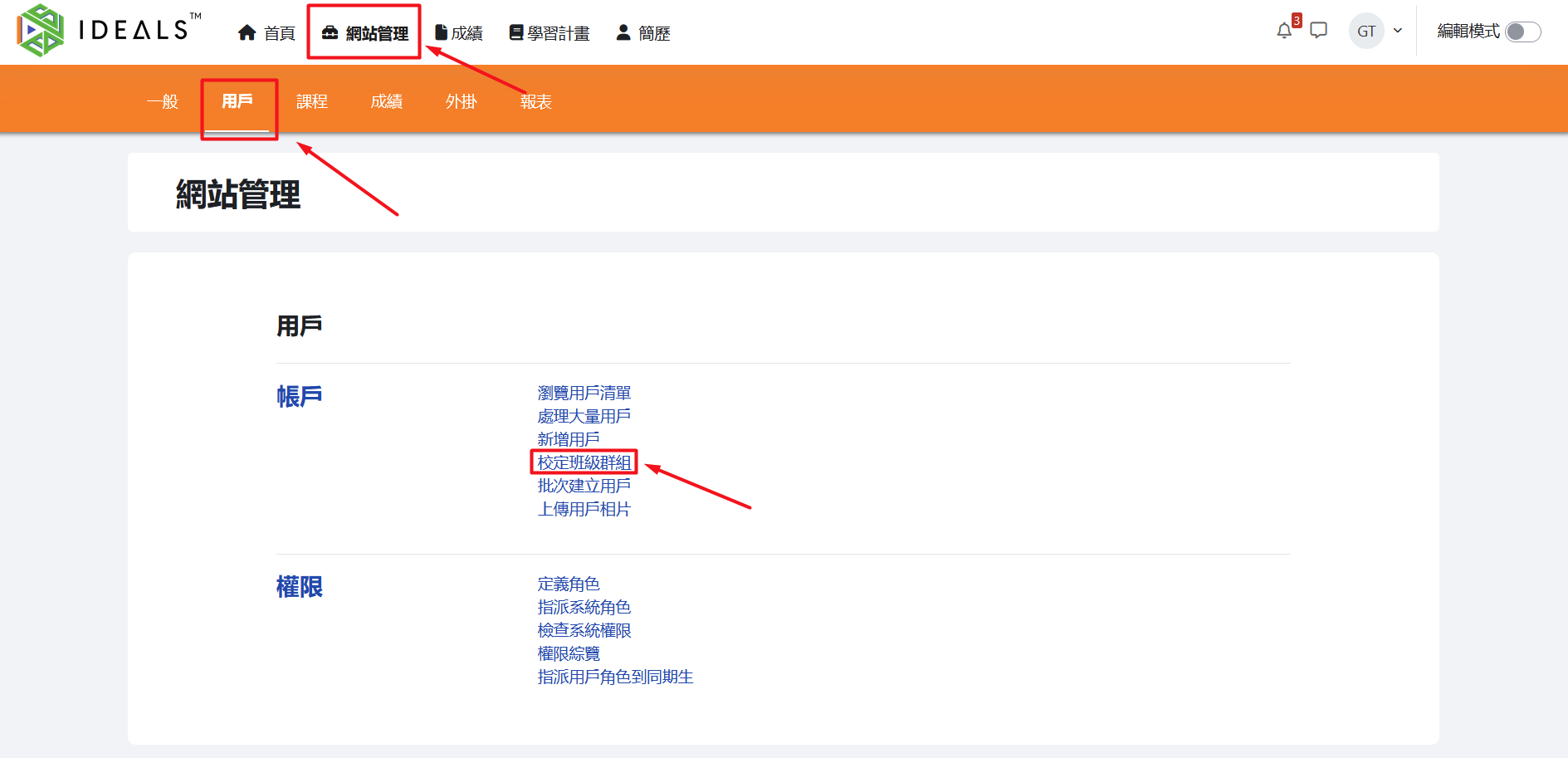
登入iLAP後,順序點擊「網站管理」和「用戶」,然後按「帳戶」內的「校定班級群組」。After logging in to iLAP, click "Site administration" → "Users", then under "Accounts", click "Cohorts".
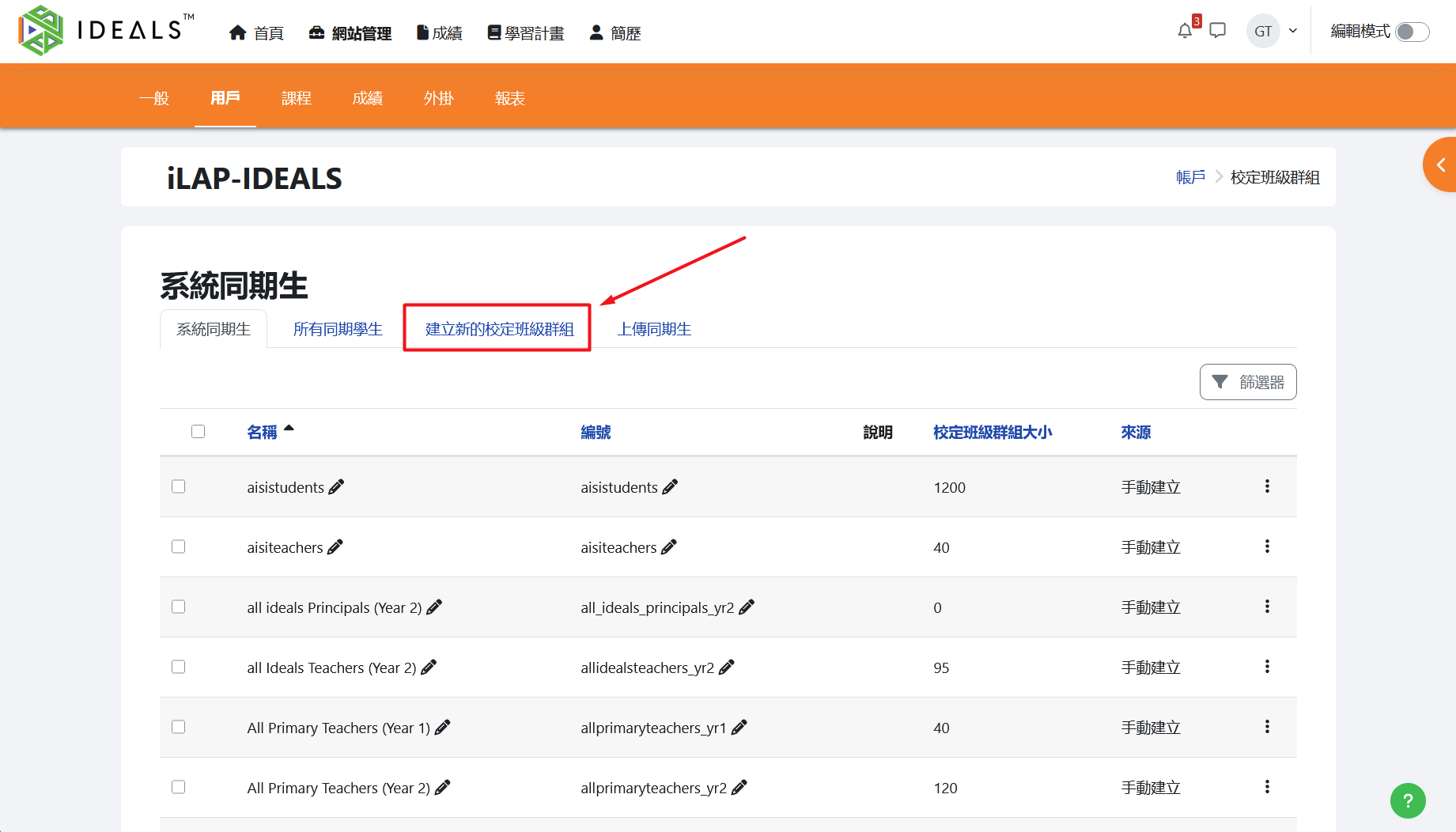
在「系統同期生」頁面,點擊「建立新的校定班級群組」On the "System cohorts" page, click "Add a new cohort" to create a new one.
未來你可回到此頁面檢視、編輯或刪除「系統」或「所有」校定班級群組。In the future, you can return to this page to view, edit, or delete any "system" or "all" cohorts.
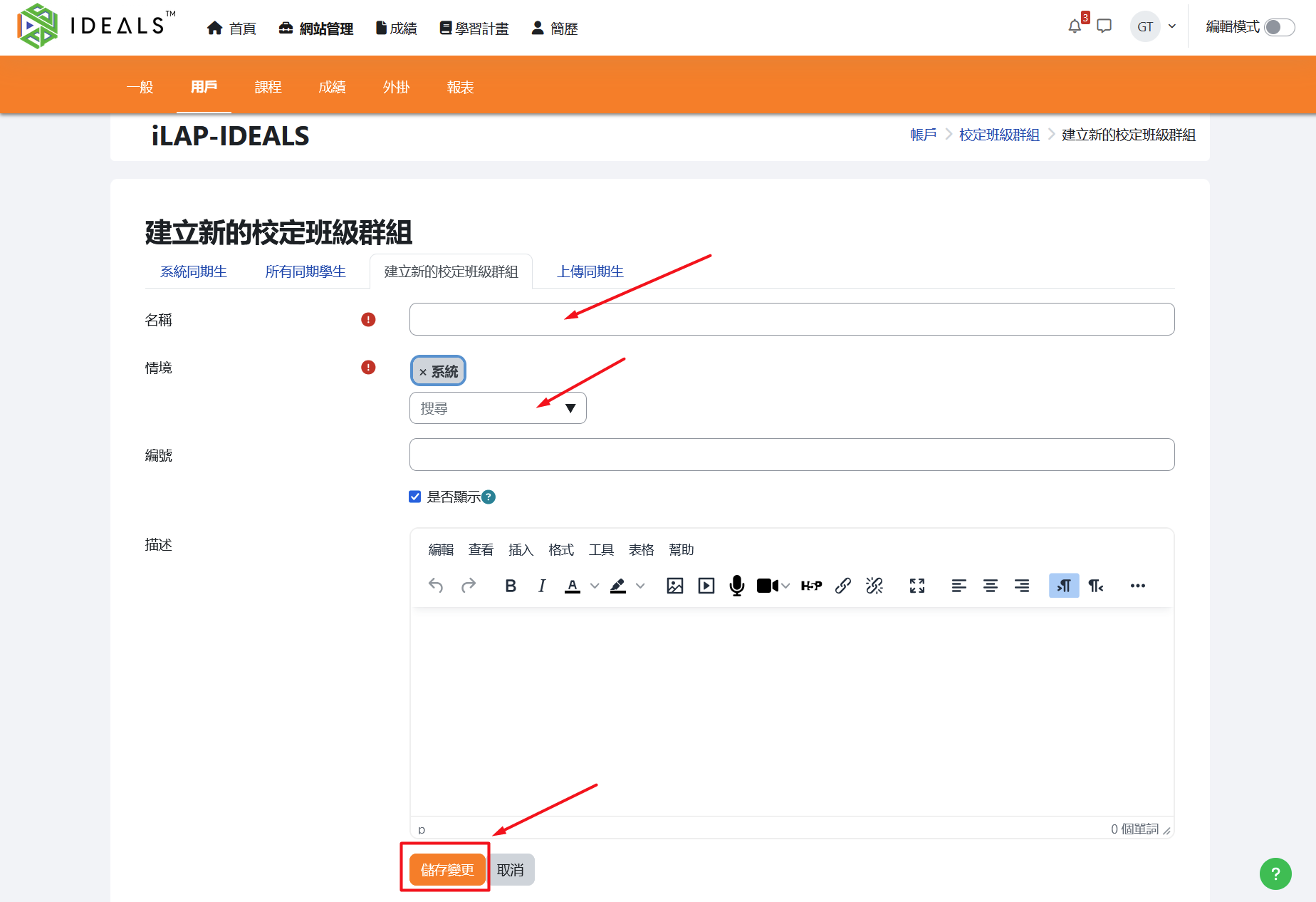
在「建立新的校定班級群組」頁面,填寫所需要的資料:On the "Add a new cohort" page, fill in the required information:
名稱Name (必填):輸入校定班級群組的名稱required): Enter the name of the cohort.情境Context (必選):這裡其實是指此校定班級群組是屬於:required): Here you need to specify where this cohort will be available:
系統:預設,即最高的層次,任何課程也可使用System: Default setting; the highest level. The cohort can be used in any course (但會使清單內可選的校定班級群組數量增加)but this will increase the number of selectable cohorts in the list).任何一個「課程類別」:即只有在該課程類別內的課程,才可使用這個校定班級群組A specific "Course category": The cohort can only be used in courses within this course category.
編號ID number (選填):給校定班級群組設定一個獨一無二的編號,上傳用戶時有用optional): Assign a unique identifier to the cohort. This is useful when uploading users.描述Description: (Optional) Enter a description for the cohort.
填好後請按「儲存變更」新增校定班級群組。After filling in the details, click "Save changes" to create the new cohort.
3.2.2 使用「校定班級群組同步化」為選課方式Using "Cohort sync" as the Enrolment Method
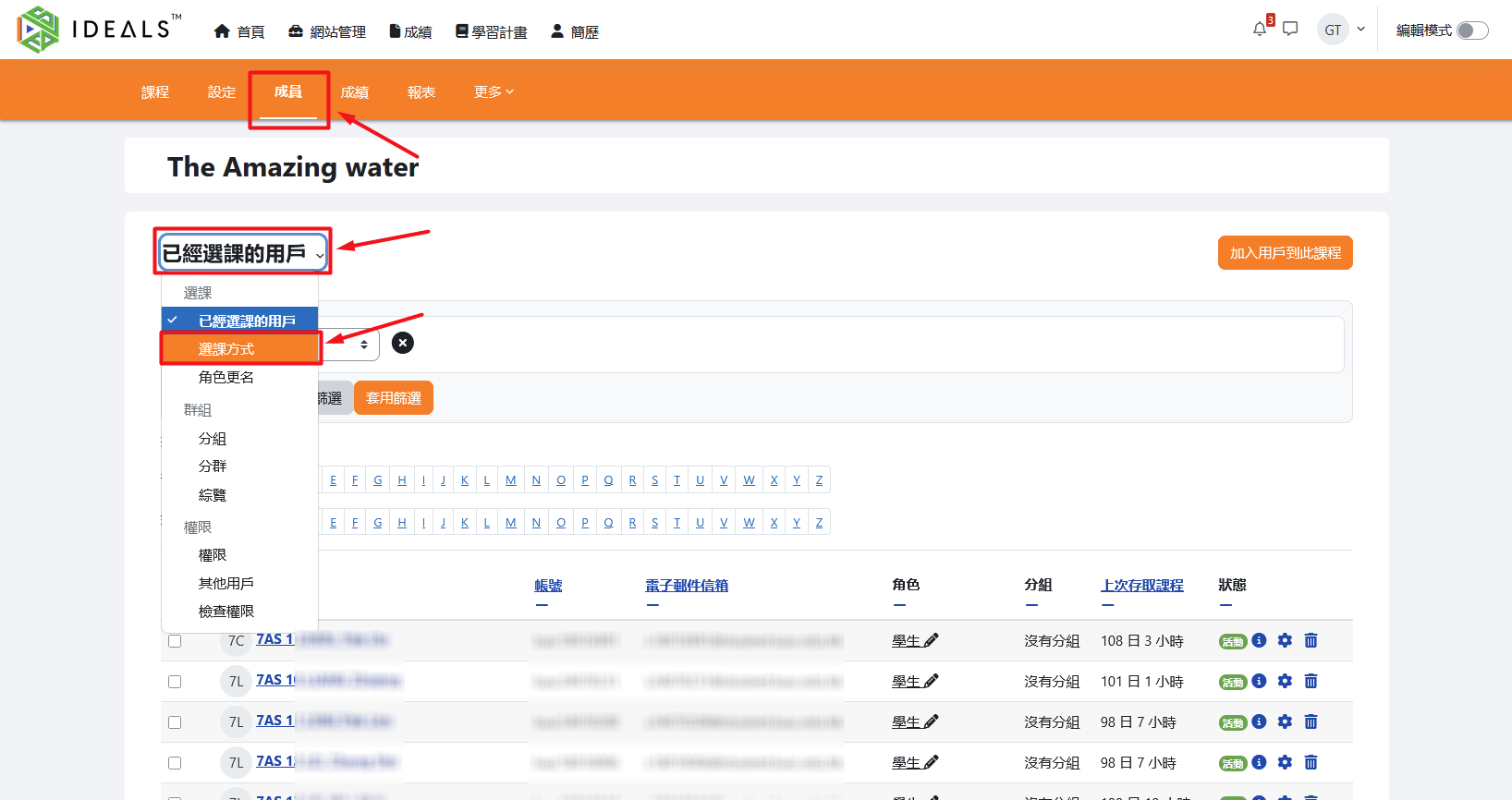
於目標課程內,點擊課程選單中的「成員」,再點擊「已經選課的用戶」打開選單,最後點擊「選課方式」。In the target course, click "Participants" in the course menu, then open the "Enrolled users" dropdown, and finally click on "Enrolment methods."
切換至「選課方式」畫面,你會看到現有選課方式列表(如:手動選課、訪客可以瀏覽、自行選課等)。Switch to the "Enrolment methods" page, where you will see a list of existing enrolment methods (such as Manual enrolments, Guest access, Self enrolment, etc.).
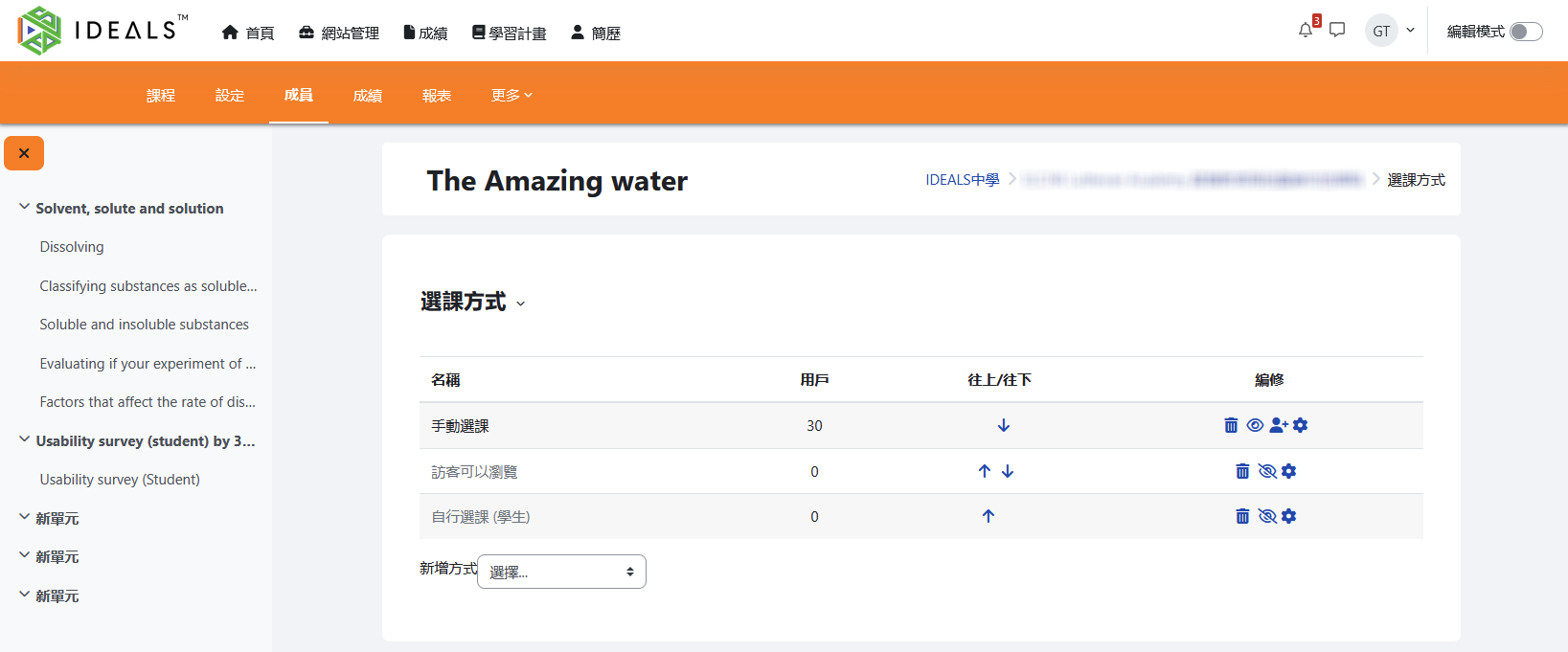
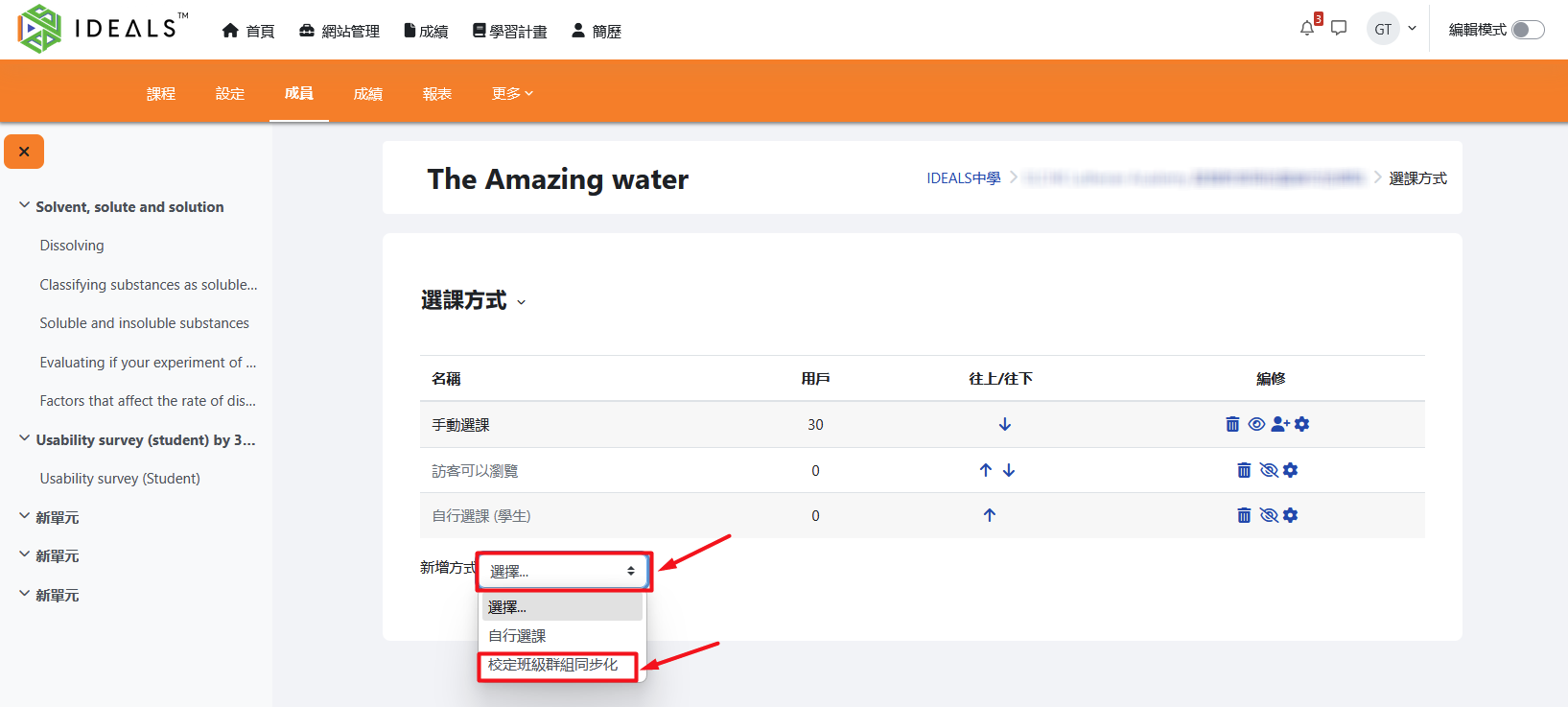
在列表下方「新增方式」的下拉選單選擇「校定班級群組同步化」。At the bottom of the list, select "Cohort sync" from the "Add method" dropdown menu.
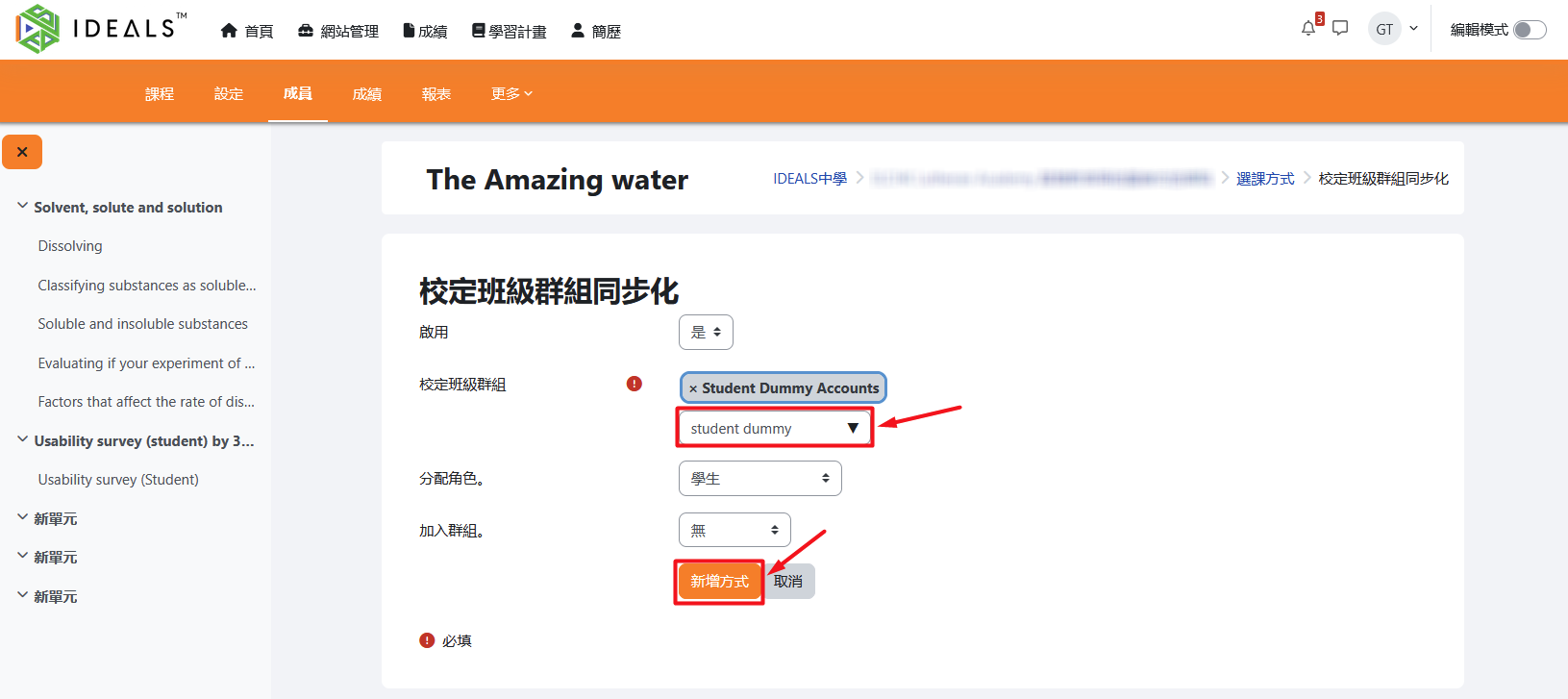
切換至「校定班級群組同步化」畫面,設定細節:On the "Cohort sync" settings page, configure the following details:
啟用:預設選擇「是」。Enable: Default is "Yes".校定班級群組:在搜尋框輸入並選擇要同步的群組,在結果中選擇一個校定班級群組。Cohort: Enter and search for the cohort you want to sync, then select the desired cohort from the results.分配角色:預設選擇「學生」。Assign role: Default is "Student".加入群組:可依需要選擇是否將學生加入某一課程群組,不建議在此管理。
After confirming the settings, click "Add method" to complete the setup.
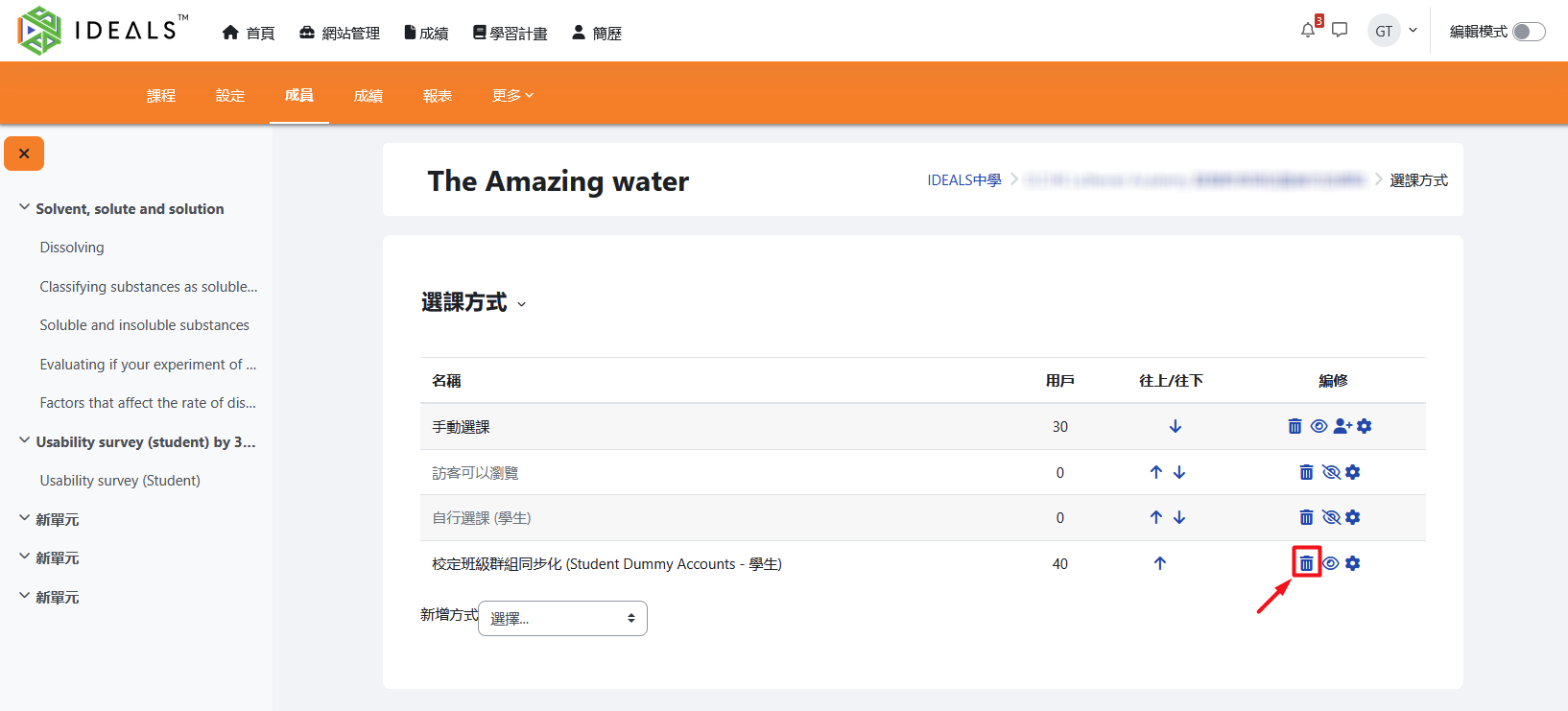
完成後,校定班級群組內的學生會自動加入課程。往後只要校定班級群組內的學生名單變動(增減成員),課程內的學生名單會自動同步。After completion, students in the cohort will be automatically enrolled in the course. In the future, whenever the list of students in the cohort changes (members are added or removed), the course participants will be automatically synchronized.
3.2.3 刪除一個「校定班級群組同步化」選課方式Deleting a "Cohort sync" enrolment method
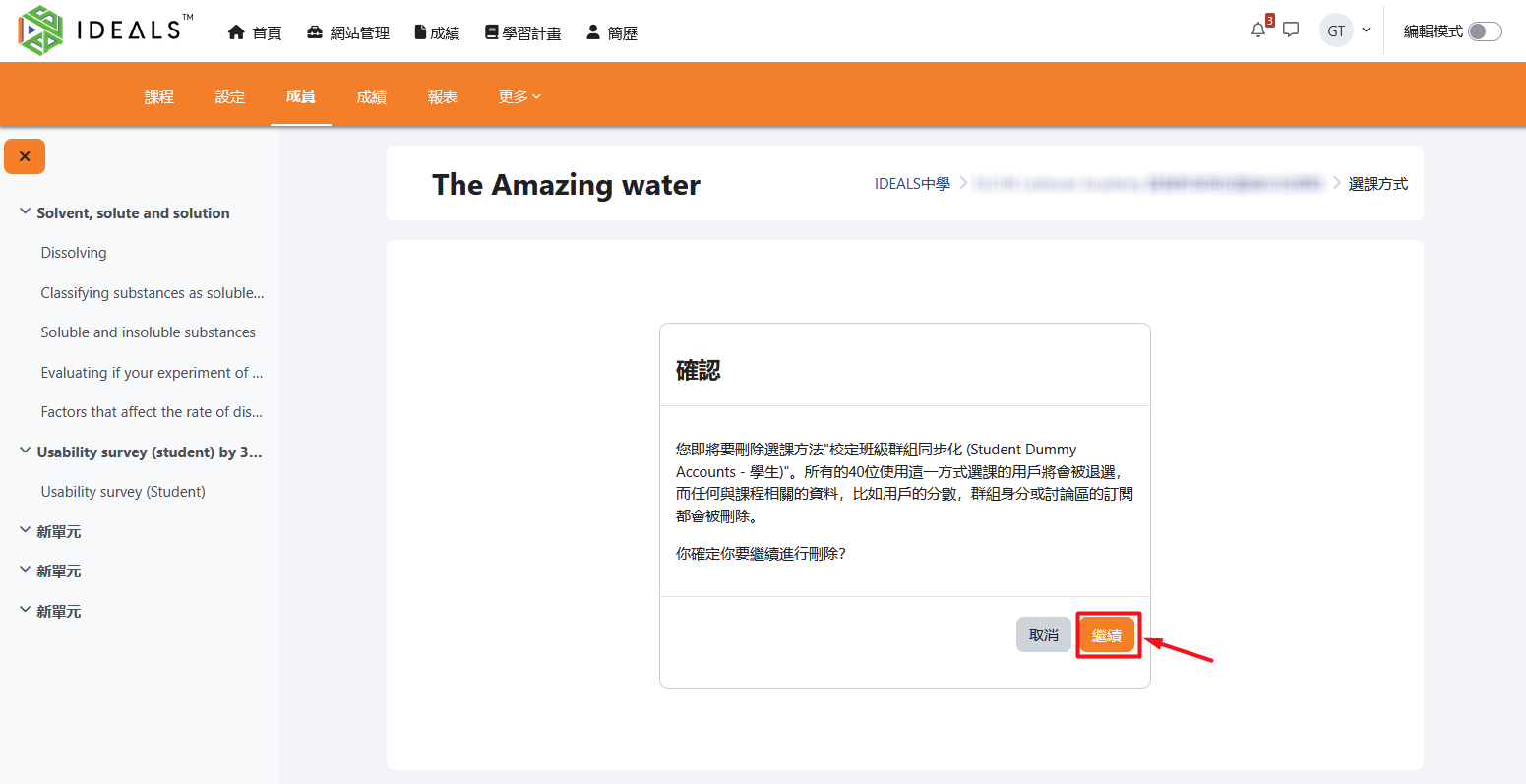
若需移除此選課方式,可返回「選課方式」頁面進行設定管理,在該校定班級群組右方點擊「垃圾桶」圖示If you need to remove this enrolment method, return to the "Enrolment methods" page. Find the cohort sync method you wish to remove, and click the "trash can" icon on the right to delete it.
再於「確認」畫面按「繼續」,便可刪除該選課方式。On the confirmation screen, click "Continue" to complete the deletion of this enrolment method.
關於如何建立及管理校定班級群組,未來將新增另一份指南說明。