
2.4 Edit Course Category
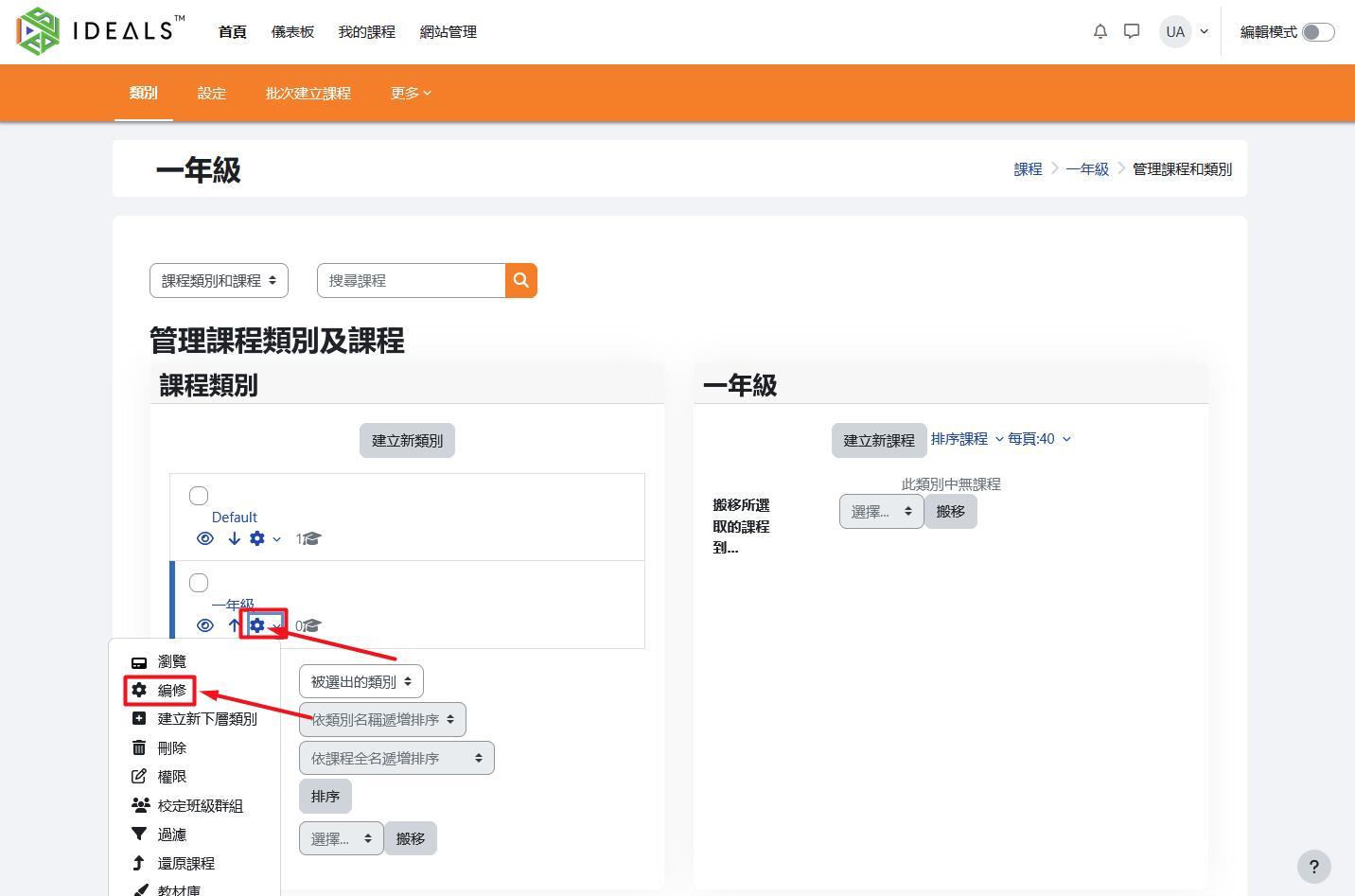
在「管理課程類別及課程」頁面On the "Manage Course Categories and Courses" page (如何進入此頁,請參閱for instructions on how to access this page, please refer to 2.3.11), find the category you want to edit in the category list on the left. Click the "gear" icon (⚙️) 左側類別列表中,找到要修改的類別,點擊旁邊的「齒輪」圖示(⚙️),再按清單中的「編修」。next to it, then select "Edit" from the menu.
進入編輯頁面後,可更改父類別、類別名稱等資訊。After entering the edit page, you can change information such as the parent category and category name.
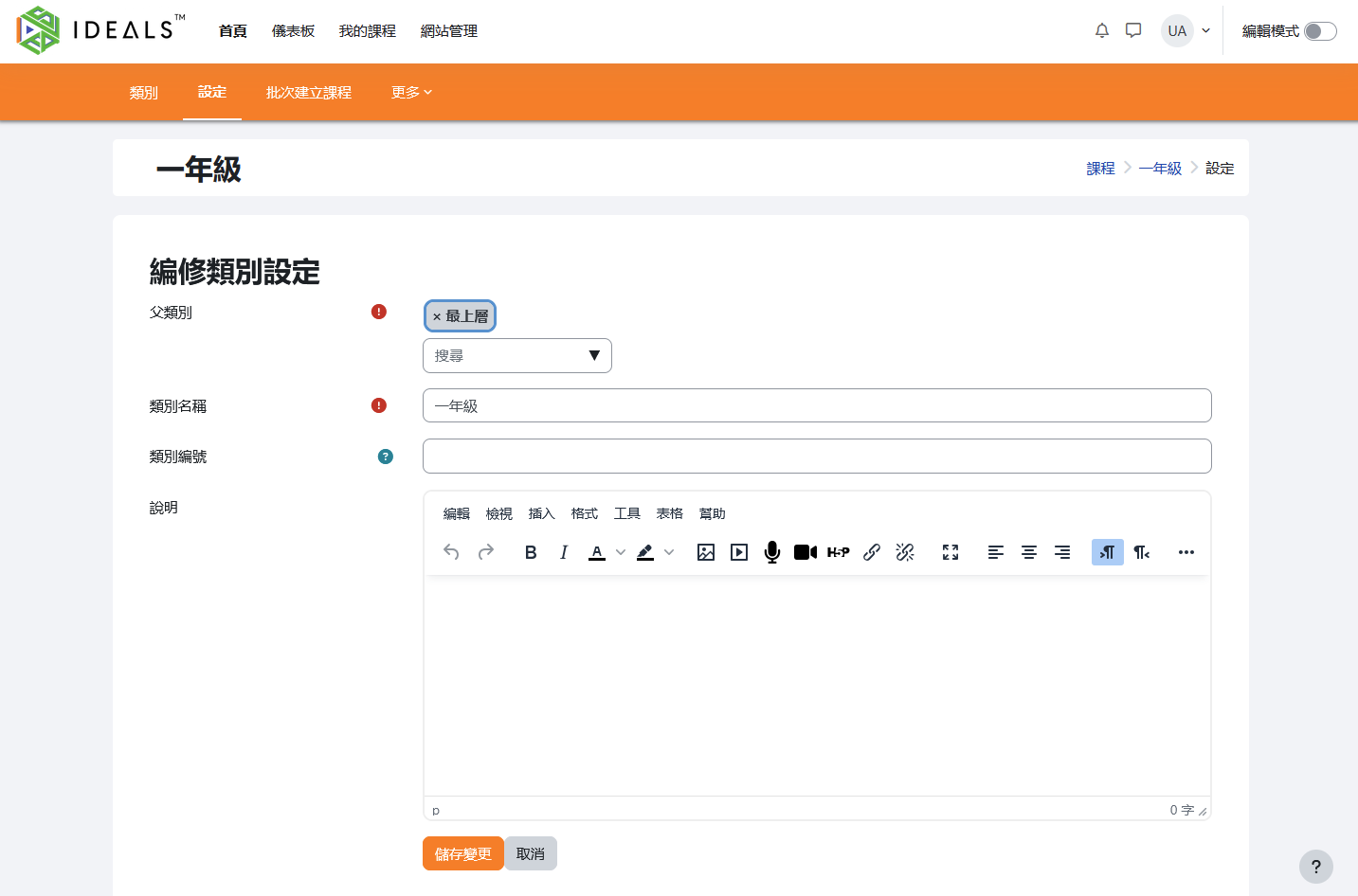
修改完成後,按「儲存變更」更新資料。Once you have finished making changes, click "Save Changes" to update the information.