3.2. Single-Sign-On to iLAP-IDEALS
InFrom the gatewayGateway pagePage of the IDEALS Portal (hhttps:ttps://ideals-portal.cite.hku.hk/gateway), click the "Login iLAP-IDEALS" button.

Due to theMoodle's security requirement of Moodle,requirements, you need tomust explicitly click on the “"IDEALS Portal Login”Login" button yourself.when click the Login iLAP-IDEALS button.prompted.

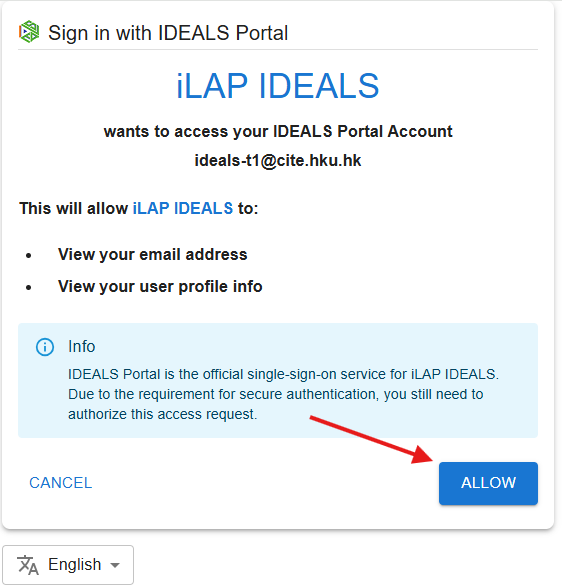
IDEALSThe Portalportal will ask youfor authorization to authorize the request forallow iLAP-IDEALS to access your portalaccount. accountClick (i.e. “sign in with”), click “ALLOW”."ALLOW."
YouOnce shouldauthorized, you will be thenlogged be inside theinto iLAP-IDEALS.