3.2. Single-Sign-On to iLAP-IDEALS
In the gateway page of the IDEALS Portal https://ideals-portal.cite.hku.hk/gateway, click the "Login iLAP-IDEALS" button.

Due to the security requirement of Moodle, you need to explicitly click on the “IDEALS Portal Login” button yourself. click the Login iLAP-IDEALS button.

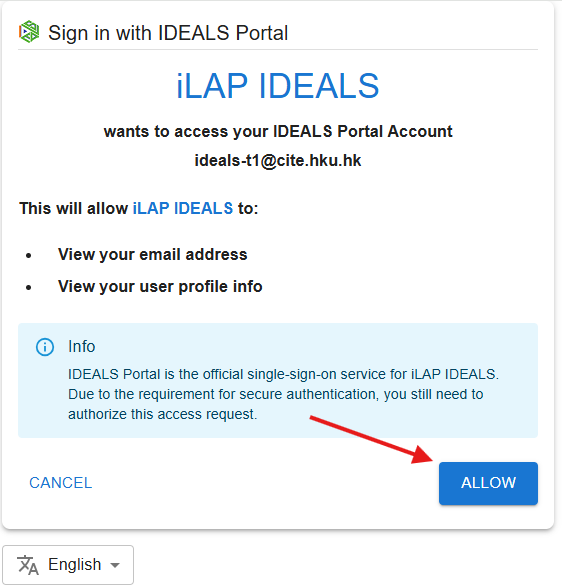
IDEALS Portal will ask you to authorize the request for iLAP-IDEALS to your portal account (i.e. “sign in with”), click “ALLOW”.
You should be then be inside the iLAP-IDEALS.