
3.3 Learning Design Facilitator and Information Window
What is Learning Design Facilitator (LDF)?
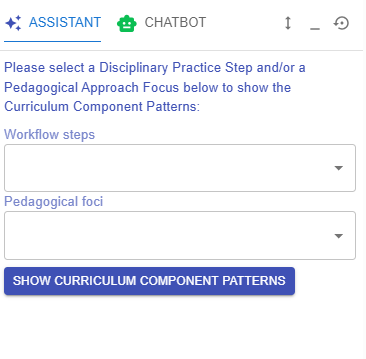
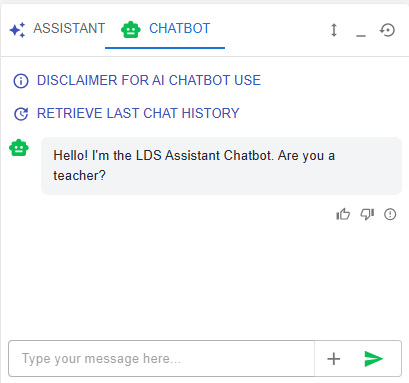
To help you create your learning design, the IDEALS team has developed the Learning Design Facilitator (LDF), which includes both the LDS Assistant and Chatbot.
The table below provides an overview of the LDF’s user interface.
|
Figure 3.4: Interface of Learning Design Facilitator (1) |
LDS ASSISTANT When creating a learning design in the LDS, you will work through multiple phases: course level, curriculum component level, and task level. The LDS Assistant provides instructions and tips tailored to your current phase and acts as an interface for accessing the LDS Pattern Library, which offers well-defined templates for you to use in each phase. Further details about the LDS Pattern Library will be introduced in the next section. |
|
Figure 3.5: Interface of Learning Design Facilitator (2) |
CHATBOT
Figure 3.6: Access to Learning Design Facilitator
|

 button in different locations, such as next to the Intended Learning Outcomes. Please feel free to click on it to request feedback .
What is Information Window?
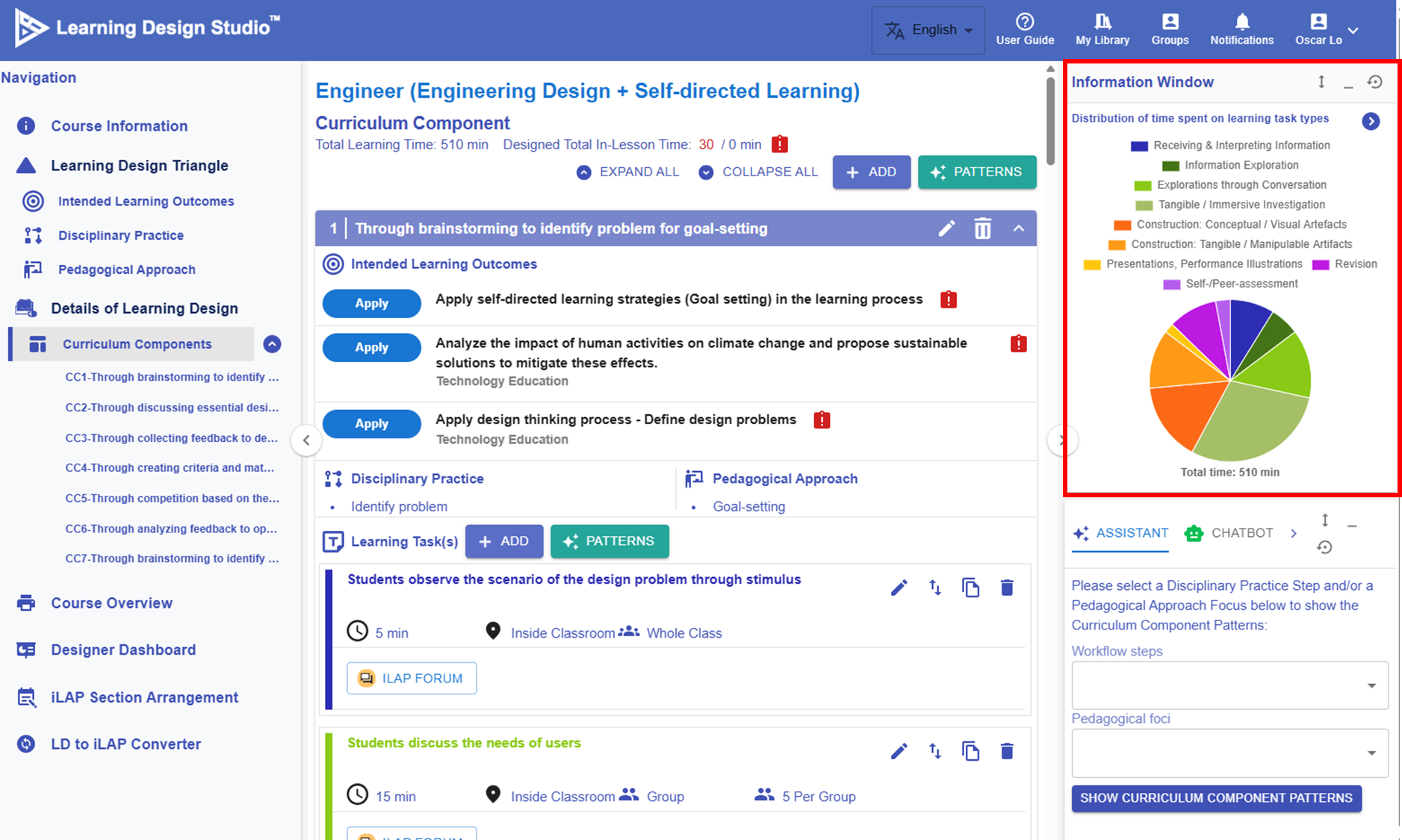
Figure 3.7: Interface of Information Window
The Information Window is located in the top right corner. It displays the key information you have inputted or visualizes your learning design. When your learning design becomes more complex, this feature becomes especially valuable, helping you review existing elements and make informed decisions throughout the design process.