
1.4 Navigating the Gateway Page
After completing email verification, you'll be redirected to thisthe page.IDEALS
Portal Gateway Page. You'll see a welcome message:
"Welcome back to IDEALS, [Your Name] 👋"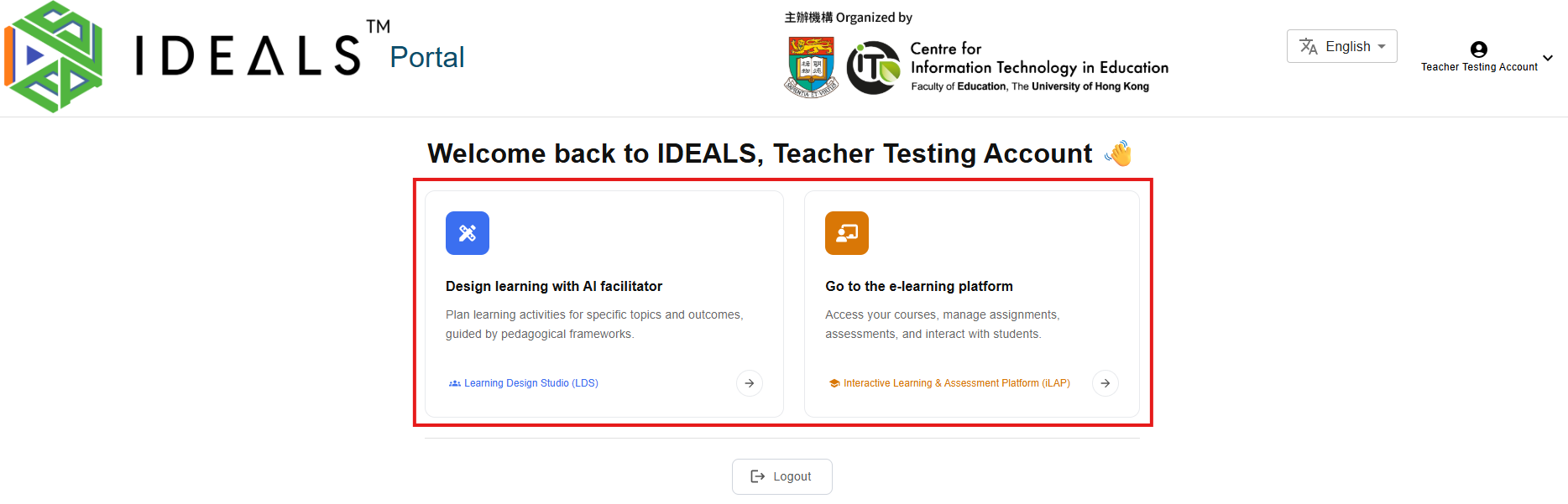
If you're a teacher at EdCity and haven't verified your email, you will not be able to access this page. Please complete step 1.3 first.
For Teachers
On the Gateway Page, you will see two loginoptions buttonsto access different platforms:
For Students
If you're a student at EdCity, you will see only the "LoginGo to the e-learning platform" option to access iLAP-IDEALS"IDEALS.
Stay on this screen and continue to the next step.
Note: The login session expires after 1 day, and you'll need to log in again.