
1.3 Verifying Your Account as a Teacher by email
Skip this step if you are not a teacher at EdCity.
If you are a teacher at EdCity, you will be redirected to the "Edit Profile" page to verify your email. This step is necessary because all IDEALS sub-systems require a verified email, and EdData currently does not provide teachers' email addresses to service providers.
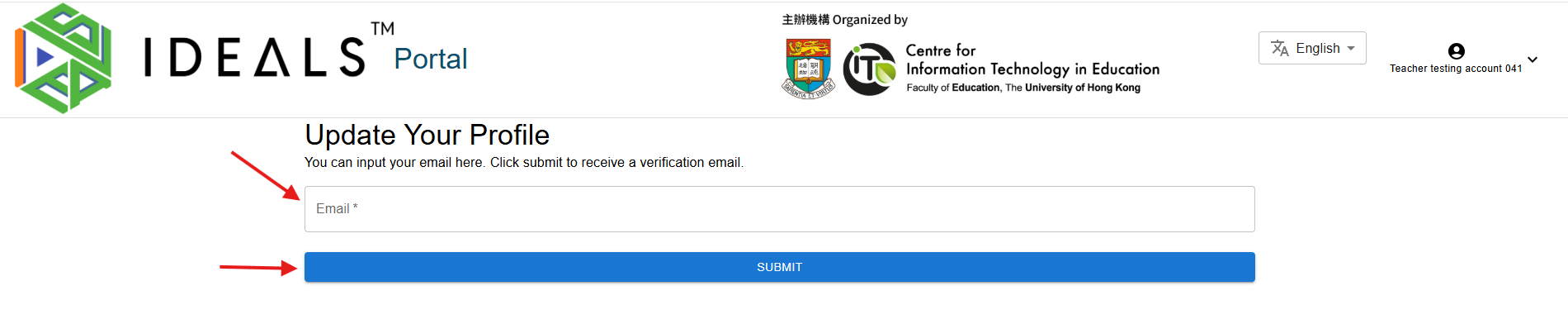
Please fill inEnter your email. Make sure your entered email isaddress correctcarefully, as you will receive ana verification email.
Click "submit"Submit" to receive the verification email. A confirmation message thatwill appear indicating the verification email ishas been sent successfully should appear.successfully.

Wait for 2-2–3 minutesminutes, andthen check your email boxinbox for the verification email sent byfrom the IDEALS Portal, it should look like this.Portal.
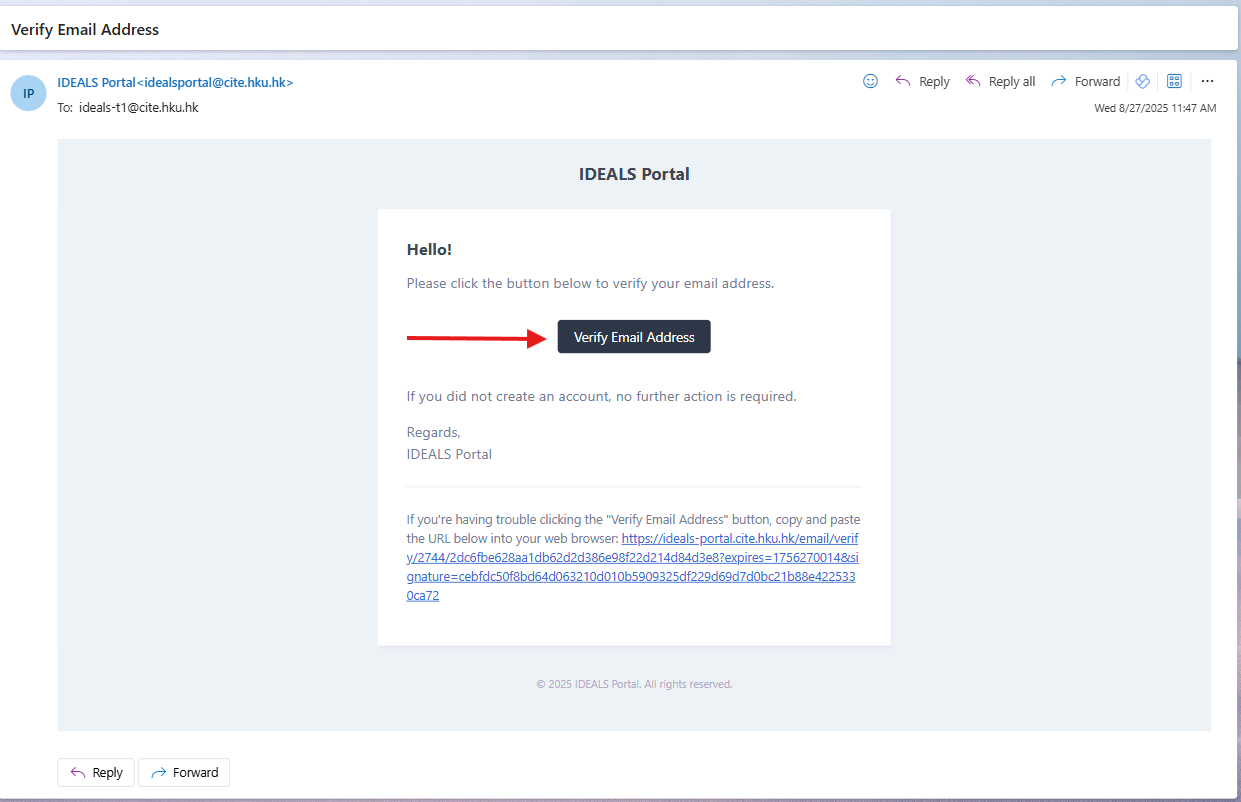
VisitClick the verification link,link andin youthe email. You should then be abledirected to access the Gateway PagePage, andwhere you'll see the two login buttons. Stay on this screen and continueproceed withto the next step.
