# 3.3  Learning Design Facilitator (LDF)

#### <span style="color: rgb(68, 68, 68);">**What is Learning Design Facilitator (LDF)?**</span>

To help you create your learning design, the IDEALS team has developed the **Learning Design Facilitator (LDF)**, which includes different agents to answer your questions, provide suggestions, and support you throughout the entire learning design process. Currently, we have both the **AI Facilitator** and the **LDS Assistant** available.

[![image.png](https://ideals-doc.cite.hku.hk/uploads/images/gallery/2026-07/scaled-1680-/Dmuimage.png)](https://ideals-doc.cite.hku.hk/uploads/images/gallery/2026-07/Dmuimage.png)
<span style="color: rgb(68, 68, 68);">Figure 3.5: Interface of Learning Design Facilitator (1)</span>

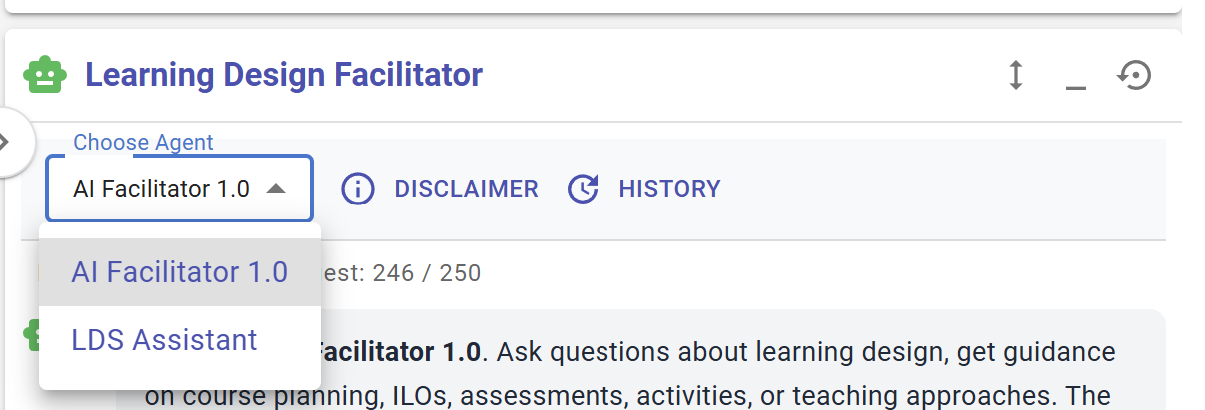
You can switch the LDF between two agents in the **"Choose Agent"** menu.

<table border="0" id="bkmrk-figure-3.x%3A-interfac-1" style="border-collapse: collapse; width: 100%;"><colgroup><col style="width: 50%;"></col><col style="width: 50%;"></col></colgroup><tbody><tr><td>[![image.png](https://ideals-doc.cite.hku.hk/uploads/images/gallery/2026-07/scaled-1680-/RYZimage.png)](https://ideals-doc.cite.hku.hk/uploads/images/gallery/2026-07/RYZimage.png)

</td><td>[![image.png](https://ideals-doc.cite.hku.hk/uploads/images/gallery/2026-07/scaled-1680-/klTimage.png)](https://ideals-doc.cite.hku.hk/uploads/images/gallery/2026-07/klTimage.png)

</td></tr><tr><td class="align-center"><span style="color: rgb(68, 68, 68);">Figure 3.6: Interface of </span>AI Facilitator</td><td class="align-center"><span style="color: rgb(68, 68, 68);">Figure 3.7: Interface of </span>LDS Assistant</td></tr></tbody></table>

#### **AI Facilitator** 

The AI Facilitator is an LLM-powered agent that currently serves two main functions: it can **1) act as a chatbot for conversation**, and it can **2) provide suggestions and make changes to your current design**. It is part of an ongoing development process and will support more features in the future.

**1) Act as a chatbot for conversation**

**[![image.png](https://ideals-doc.cite.hku.hk/uploads/images/gallery/2026-07/scaled-1680-/KQrimage.png)](https://ideals-doc.cite.hku.hk/uploads/images/gallery/2026-07/KQrimage.png)**
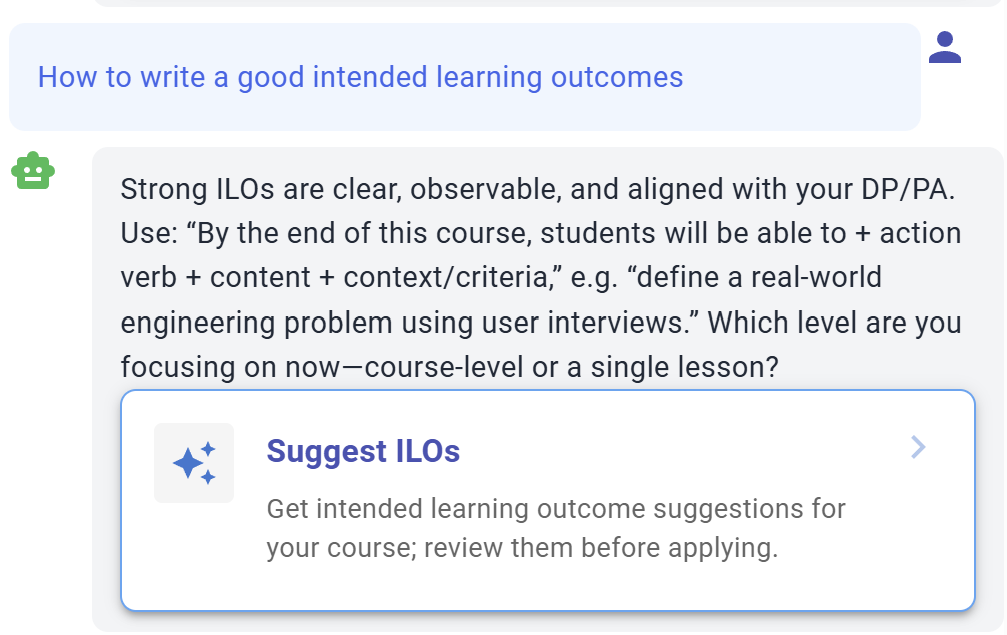
<span style="color: rgb(68, 68, 68);">Figure 3.8: Communication with the LDF</span>

<div id="bkmrk-when-completing-a-fu">When completing a full learning design, you will input various details, such as intended learning outcomes, disciplinary practices, pedagogical approaches, learning tasks, and assessments. You can communicate with the LDF to receive guidance or exchange ideas throughout this process.</div><div id="bkmrk--1">  
</div><div id="bkmrk--2">  
</div>**2) Provide suggestions and make changes to your current design**

The LDF can currently read your course information, including topic, description, and grade level, to provide suggestions on intended learning outcomes.

[![image.png](https://ideals-doc.cite.hku.hk/uploads/images/gallery/2026-07/scaled-1680-/xSyimage.png)](https://ideals-doc.cite.hku.hk/uploads/images/gallery/2026-07/xSyimage.png)
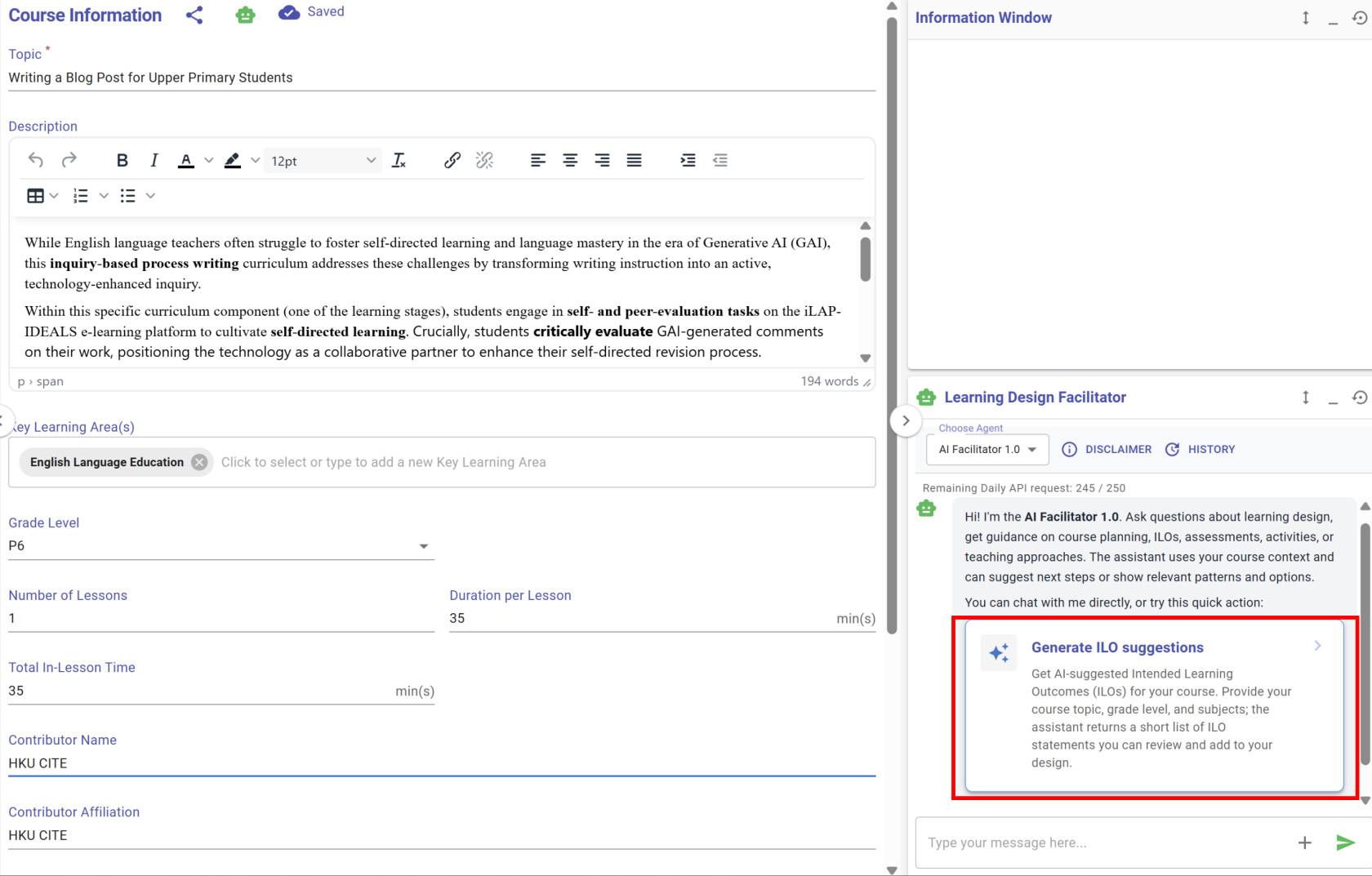
<span style="color: rgb(68, 68, 68);">Figure 3.9: </span>Receiving suggestions from the LDF (1)

<div id="bkmrk-by-clicking-%27generat"><div>By clicking 'Generate ILO suggestions', a panel will appear on the left side of the LDS, showing a few LDF-suggested ILO options across different Bloom's levels and ILO types for you to choose from.</div></div>[![image.png](https://ideals-doc.cite.hku.hk/uploads/images/gallery/2026-07/scaled-1680-/bMNimage.png)](https://ideals-doc.cite.hku.hk/uploads/images/gallery/2026-07/bMNimage.png)

<span style="color: rgb(68, 68, 68);">Figure 3.10: </span>Receiving suggestions from the LDF (2)

<div id="bkmrk-by-clicking-the-%22app">By clicking the "Apply Suggestion" button, you can adjust the content if needed, and then click the "Save" button to add the ILO.</div>[![image.png](https://ideals-doc.cite.hku.hk/uploads/images/gallery/2026-07/scaled-1680-/KcOimage.png)](https://ideals-doc.cite.hku.hk/uploads/images/gallery/2026-07/KcOimage.png)

<span style="color: rgb(68, 68, 68);">Figure 3.11: </span>Receiving suggestions from the LDF (3)

<div id="bkmrk-the-ldf-suggested-il">The LDF-suggested ILO has now been added to the **"Intended Learning Outcomes"** section.</div><div id="bkmrk--7"></div>[![image.png](https://ideals-doc.cite.hku.hk/uploads/images/gallery/2026-07/scaled-1680-/XM3image.png)](https://ideals-doc.cite.hku.hk/uploads/images/gallery/2026-07/XM3image.png)

<span style="color: rgb(68, 68, 68);">Figure 3.12: </span>Receiving suggestions from the LDF (4)

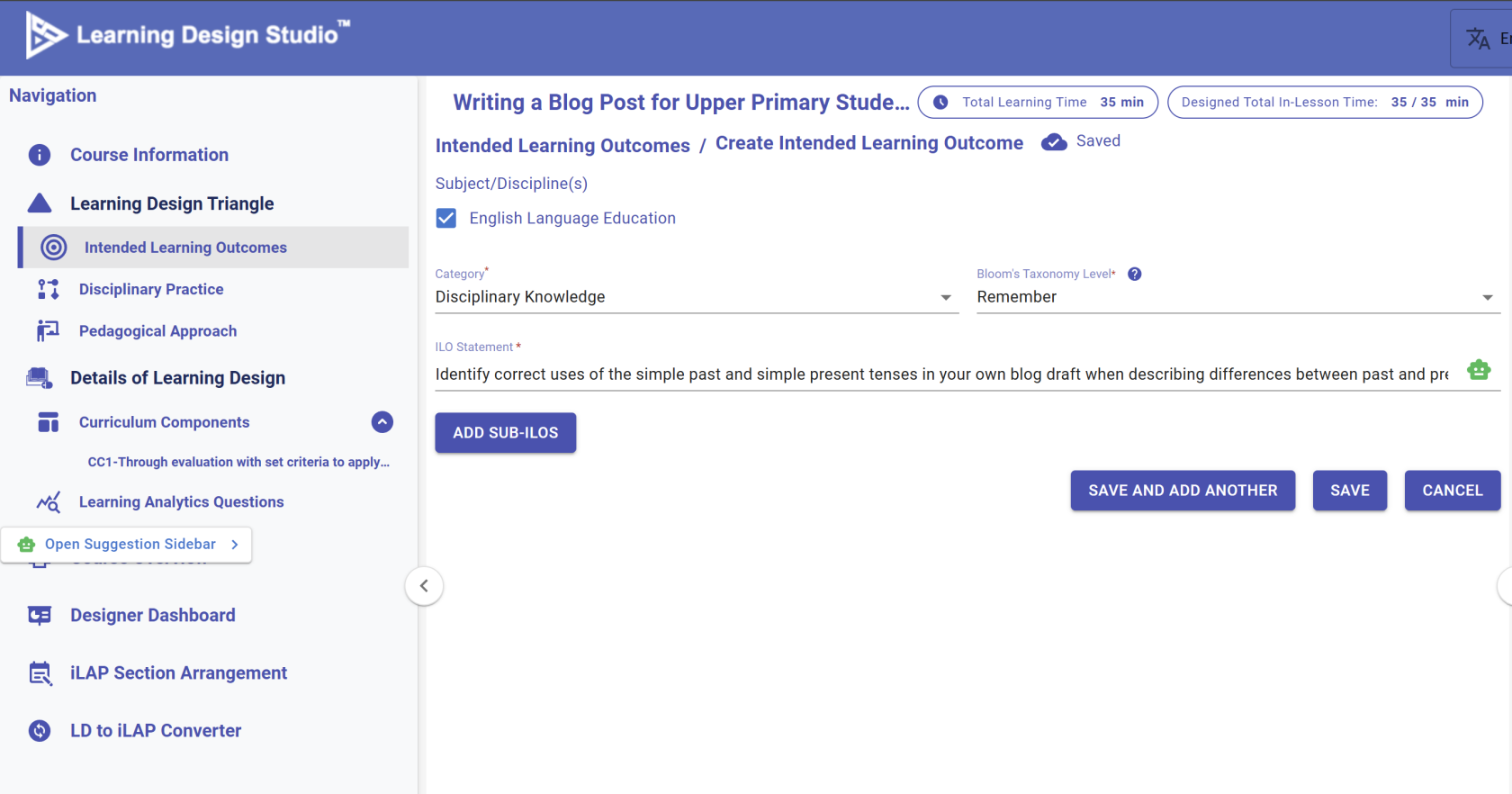
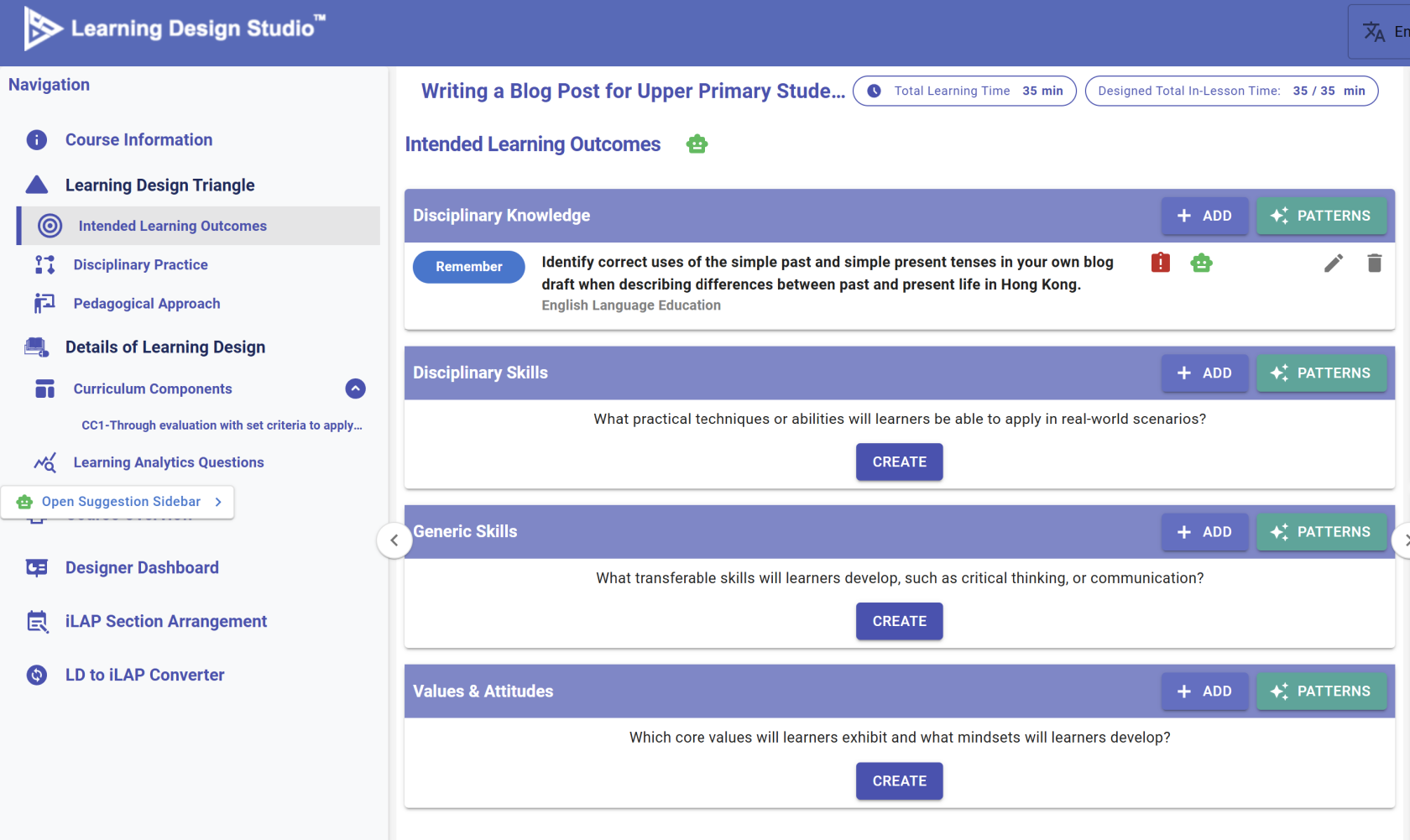
<div id="bkmrk-apart-from-suggestin">Apart from suggesting completely new ideas, the LDF can also provide feedback on your current design.</div><table border="0" id="bkmrk-figure-3.6%3A-access-t" style="border-collapse: collapse; width: 100%;"><colgroup><col style="width: 50.053%;"></col><col style="width: 50.053%;"></col></colgroup><tbody><tr><td>[![image.png](https://ideals-doc.cite.hku.hk/uploads/images/gallery/2026-07/scaled-1680-/ZHfimage.png)](https://ideals-doc.cite.hku.hk/uploads/images/gallery/2026-07/ZHfimage.png)

</td><td>[![image.png](https://ideals-doc.cite.hku.hk/uploads/images/gallery/2026-07/scaled-1680-/AVximage.png)](https://ideals-doc.cite.hku.hk/uploads/images/gallery/2026-07/AVximage.png)

</td></tr><tr><td class="align-center" colspan="2">Figure 3.13: Access to Learning Design Facilitator

Sometimes, you may see the ![image.png](https://ideals-doc.cite.hku.hk/uploads/images/gallery/2025-11/scaled-1680-/XE7FLwimage.png) button in different locations, such as next to the Intended Learning Outcomes. Please feel free to click on it to request feedback .

</td></tr></tbody></table>

#### **LDS Assistant** 

When creating a learning design in the LDS, you will work through multiple phases: course level, curriculum component level, and task level. The IDEALS team has developed a set of reusable templates for you to adopt in your own design. The LDS Assistant serves as the main interface for accessing these templates through the LDS Pattern Library.

<span style="color: rgb(68, 68, 68);">\* Further details about the LDS Pattern Library will be introduced in the next section.</span>